Move a role forward with one tap
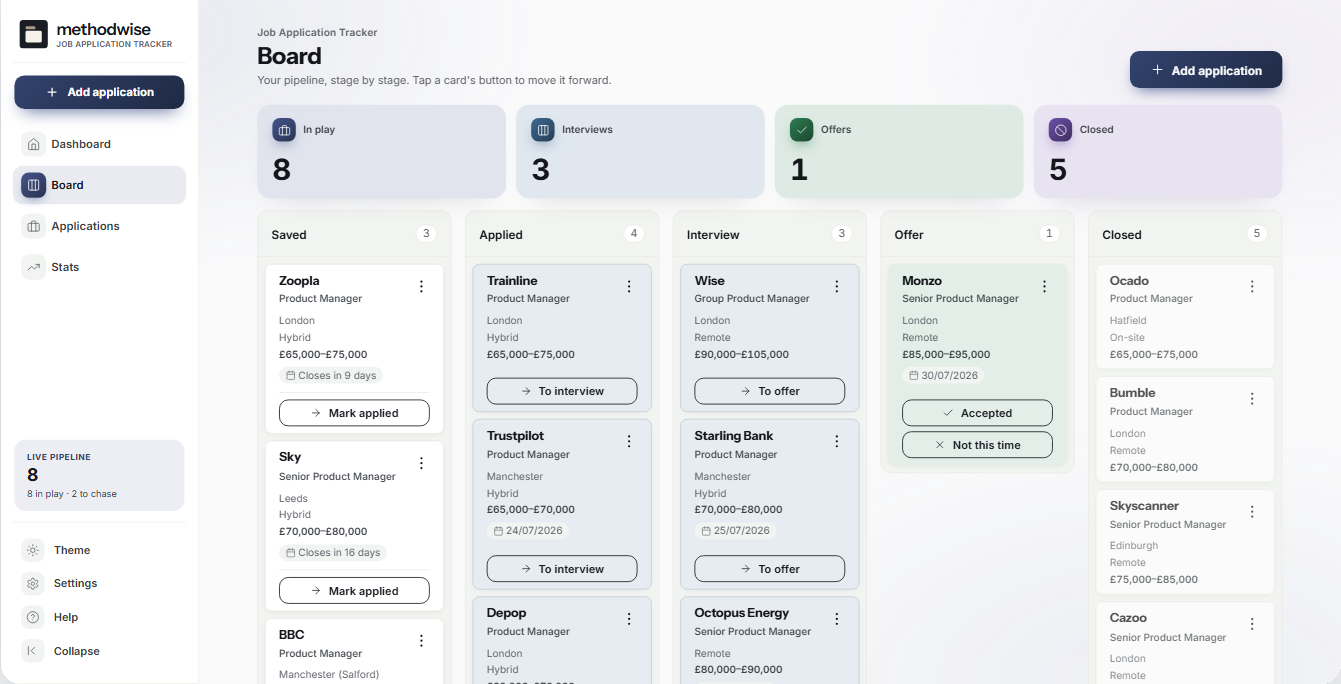
Track Saved, Applied, Interview, Offer and Closed stages without drag and drop. Each move stamps the date behind the funnel.
Job Application Tracker
Track saved roles, applications, interviews, offers and outcomes in one board, with the salary, dates, recruiter, next action and CV version attached to each role.
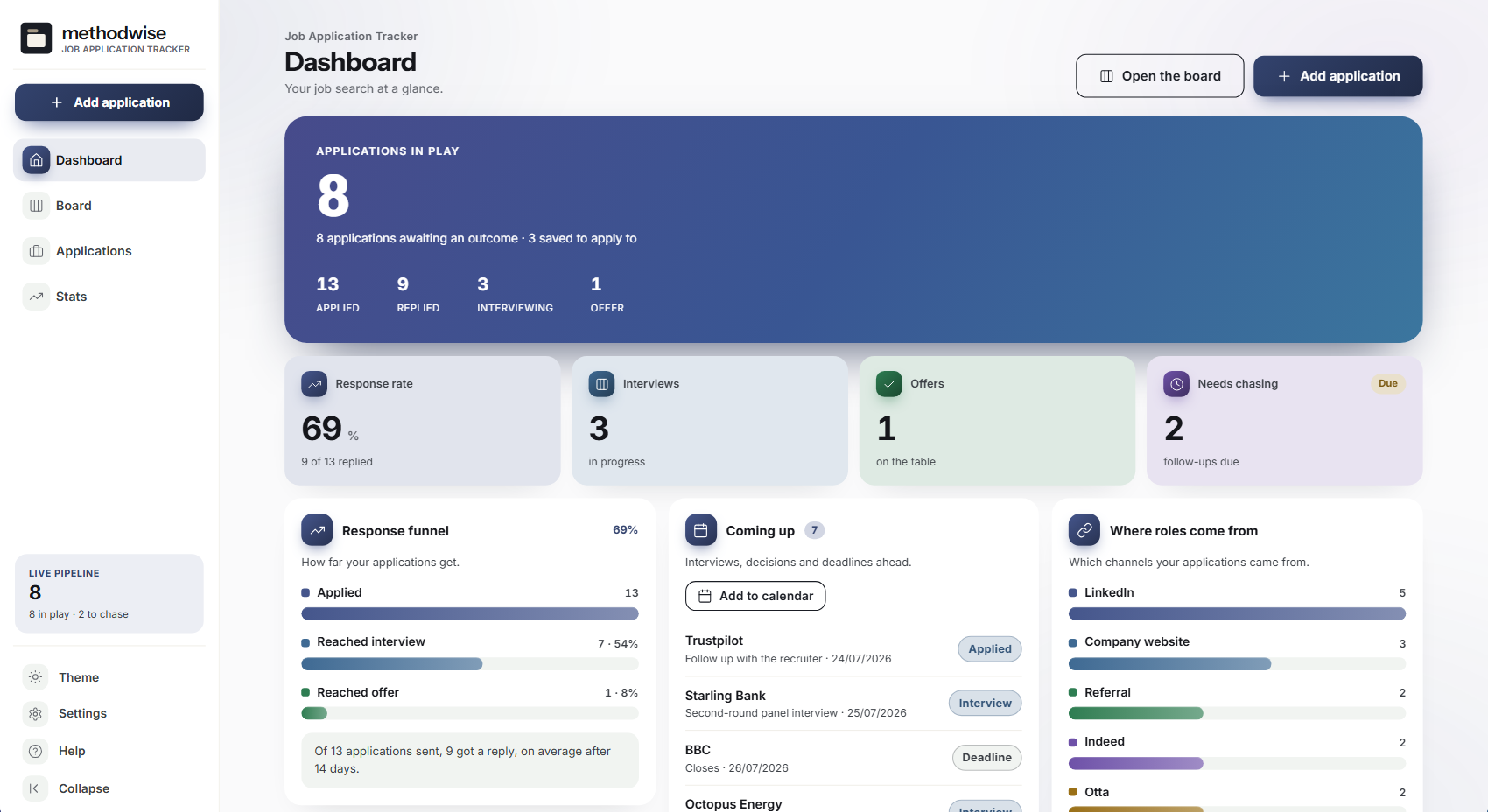
The actual dashboard in light mode, shown with an example product-management search.
The whole search
The board, table, dashboard and stats all read from the same application records.
Track Saved, Applied, Interview, Offer and Closed stages without drag and drop. Each move stamps the date behind the funnel.
See applications sent, replies received, interviews reached, offers made and the average time to the first response.
Track closing dates, interviews, decisions and follow-ups, surface overdue chases and export dated items to a calendar file.
Record company, role, source, location, work mode, salary range, recruiter, job link, notes and the CV version sent.
Find applications by company, role, location or source, then filter by stage or sort the fields that matter.
Compare applications and reply rates by source, review the stage mix and see how the search has changed over time.
The signature board
Cards carry enough detail to act from the board while keeping the full notes and history one click away.
Works with the CV Builder
The tracker records the CV and cover-letter version used for each application. The separate CV Builder handles the writing, design, job-advert check and PDF export.
How it works
No installation, account or subscription is required.
Record the company, role, salary, source, closing date and the version of your application documents.
Mark the application sent, advance it when an interview or offer arrives, and record the final outcome.
Review upcoming dates and chases on the dashboard, then export them to your calendar when useful.
Private by design
The tracker runs locally in your browser. It has no account, cloud database, analytics or employer connection, and it does not upload applications, contacts or notes.
JSON backups, CSV exports and calendar files are manual files that you control. There is no live email or calendar sync, and no automatic capture from job sites. Keep a backup somewhere separate from the downloaded app.
Frequently asked
It shows due and upcoming actions when you open the tracker. It cannot send background notifications, but it can export interviews, follow-ups and closing deadlines as an ICS calendar file with reminders.
A recorded response counts, including an interview, offer or rejection. An application that remains unanswered does not, so the funnel does not treat silence as progress.
No. Record the name or version of the documents sent and keep the files in your normal folders. The separate CV Builder is the document workspace.
No. The tracker exports application records as CSV but does not import a spreadsheet. Existing applications need to be entered into the app.
No. Export a JSON backup from one computer and import it on another when you need to move the records.
It works on Windows, Mac and Linux computers in a modern version of Chrome, Edge, Safari or Firefox.
The single-file Job Application Tracker app, a quick-start guide, and licence and support details. Etsy delivers the download after purchase.
Buy Job Application Tracker on Etsy, download it once and manage the search without an account or subscription.
Buy on Etsy