Catch the thought before it disappears
Add one line, press the button and keep going. New entries wait in the inbox until you choose what happens next.
ADHD Daily Command Centre
Capture stray thoughts without sorting them, move tasks into Now, Next and Later, then open one task in a full-screen timer with its first step and checklist.
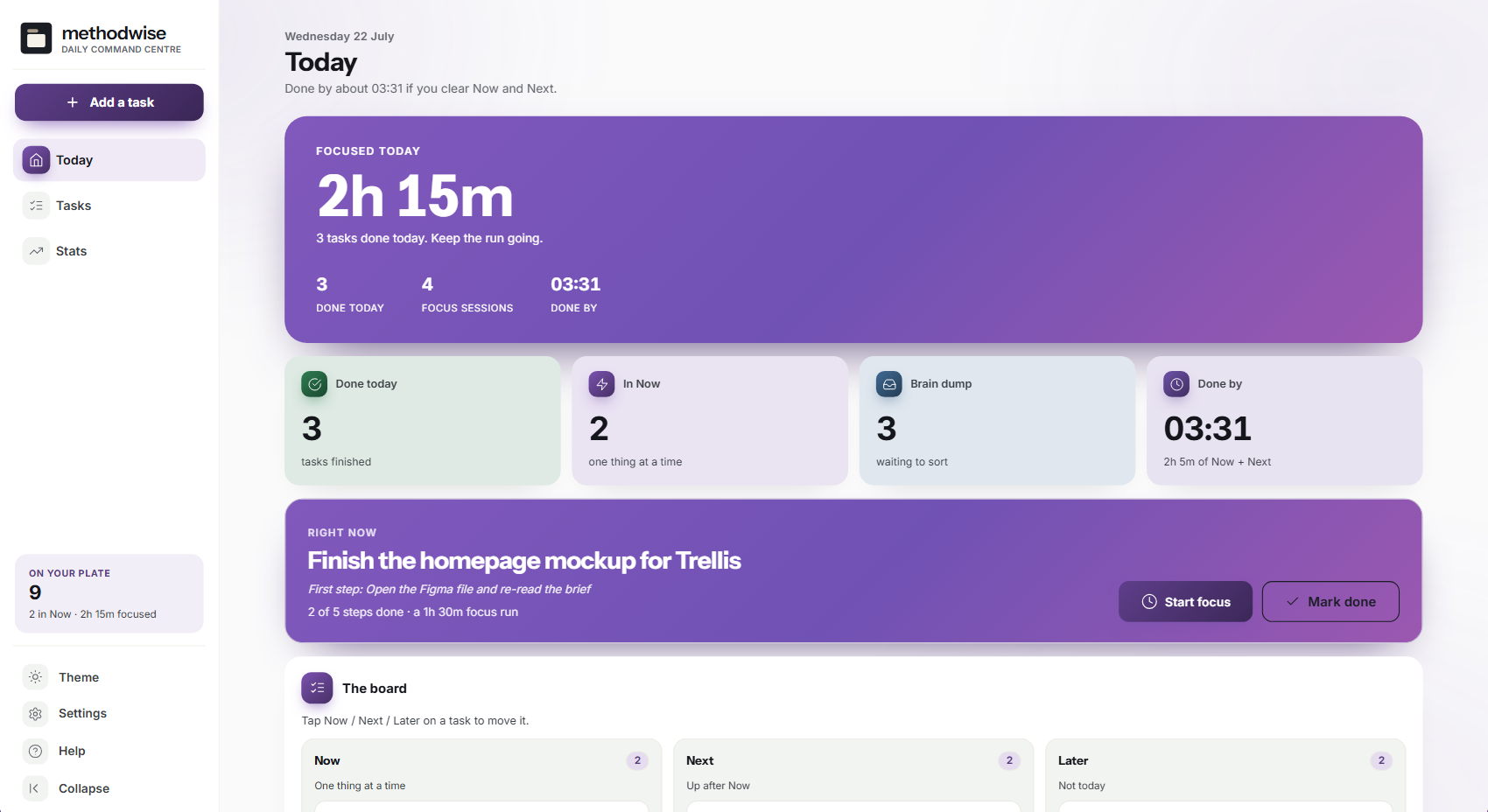
The actual Today screen in light mode, shown with example tasks and focus sessions.
Capture, sort, focus
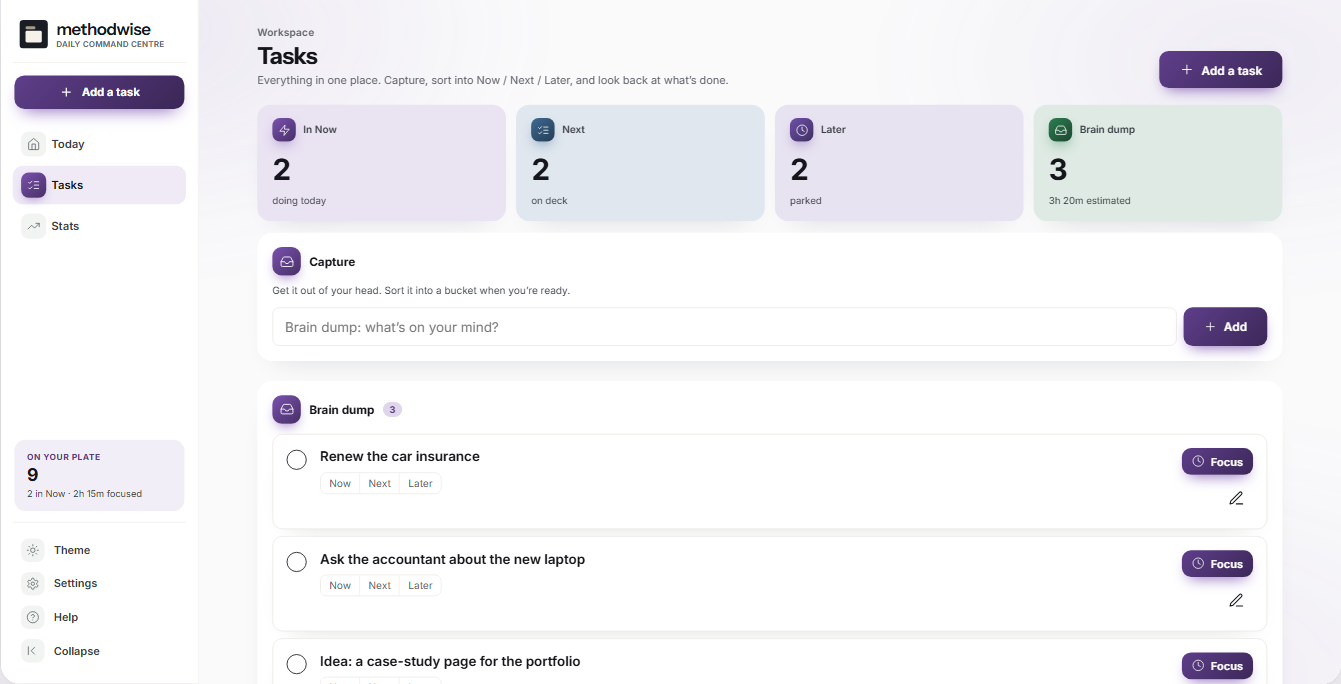
The brain dump accepts a thought first. The board asks where it belongs only when you are ready to decide.
Add one line, press the button and keep going. New entries wait in the inbox until you choose what happens next.
Move each task between three buckets with one tap. A configurable warning appears when the Now list passes your limit.
Add the first action and an optional sub-step checklist, then tick those steps from inside the focus screen.
The dashboard adds the open estimates in Now and Next to the current time, giving you a working forecast rather than a promise.
Open tasks roll back to the brain dump on a new day with a carried-over marker. Completed tasks remain in the history.
Review focus time, completed tasks, time of day and estimate-versus-actual patterns without targets or streak pressure.
The task workspace
The Tasks screen holds the full record while preserving a small active view.
Full-screen focus mode
The rest of the app drops away while the timer runs. Tick sub-steps, park a distracting thought back into the brain dump, pause when needed and log the focused minutes when you finish.
Product boundary
You do not need an ADHD diagnosis to use the app. It can organise tasks and record focus sessions, but it does not diagnose, treat or provide medical or crisis support.
How it works
No installation, account or subscription is required.
Add thoughts as short lines without deciding whether they belong in Now, Next or Later.
Sort the tasks, give the active one a first step and estimate how long the work may take.
Open the task in focus mode, park interruptions as they appear and log what was completed.
Private by design
The app runs locally in your browser. It has no account, cloud database, analytics or AI service, and it does not upload your tasks, notes or focus records. The optional focus sound is generated by the browser.
Your browser may fetch the display fonts on first use. The task data itself remains local. JSON backups are manual files that you control, and there is no live sync between devices. Keep a backup somewhere separate from the downloaded app.
Frequently asked
No. The task structure may also suit people who struggle with task-switching, time estimates, competing priorities or getting started.
Now holds the work directly in front of you, Next is the short queue and Later keeps the remaining tasks out of the active view. Each task moves with one tap.
The running timer does not survive a full browser reload or closing the app. Route changes inside the app are fine, but a reloaded focus session cannot resume.
No. Add the first step and optional checklist yourself. No external service reads, changes or receives the task.
No. It has no background notifications or live sync. Export a JSON backup and import it on another computer when you need to move the records.
No. It is off by default. If enabled, the browser generates a low brown-noise sound locally, with volume controls in focus mode and Settings.
It works on Windows, Mac and Linux computers in a modern version of Chrome, Edge, Safari or Firefox.
The single-file ADHD Daily Command Centre app, a quick-start guide, and licence, support and update notes. Etsy delivers the download after purchase.
Buy ADHD Daily Command Centre on Etsy, download it once and keep the work on your own computer.
Buy on Etsy