Set the teaching week once
Build a Monday-to-Friday timetable with editable periods, breaks and lunches, then move through previous, current and next weeks.
UK Teacher Planner
Set up classes and pupils, plan each teaching week, take attendance, enter marks, arrange seating and manage term dates and to-do work. One private offline planner for the academic year.
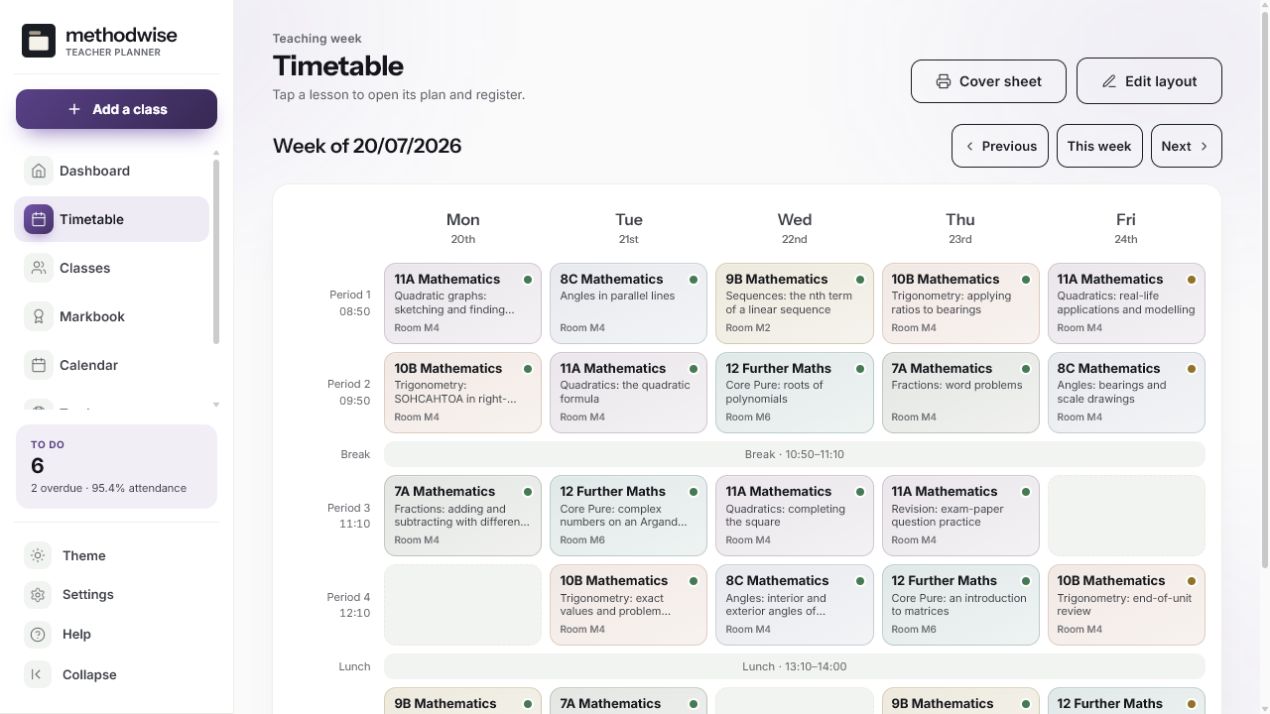
The actual weekly timetable, shown with example classes and lesson plans.
From class list to end-of-week admin
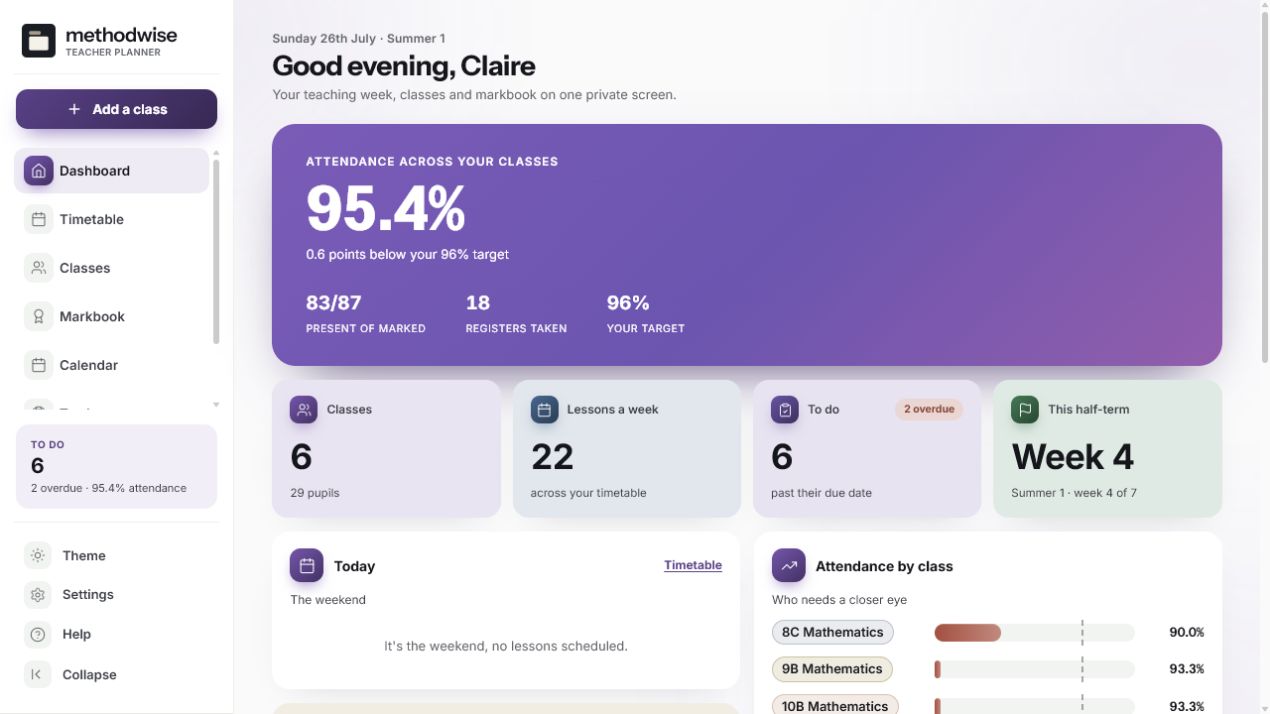
The recurring timetable connects each dated lesson to its class, plan and register, while the same pupil list feeds the markbook and seating plan.
Build a Monday-to-Friday timetable with editable periods, breaks and lunches, then move through previous, current and next weeks.
Record the topic, objectives, homework, resources and private notes, then mark pupils present, late, absent or excused.
Paste several pupils at once, with optional targets, pupil-premium and SEN flags, and keep each class’s records together.
Create assessments, enter marks by pupil and review percentages, class averages and weighted running averages in one grid.
Adjust the desk columns, place pupils, auto-fill the room and print a clean plan with optional pupil detail.
Edit six half-term blocks, see upcoming work, group tasks by urgency and export dated items to a calendar file.
Clear product boundaries
The app helps one teacher organise their own working information. It does not replace your school’s required systems, policies or official records.
Choose what appears on a seating plan
The seating planner can show target-grade, pupil-premium, SEN and note markers, including on the printed plan. That detail is off by default, so it appears only after you choose to include it.
How it works
No installation, app store or account is required.
Etsy delivers the digital download after purchase, with the planner, quick-start guide, licence and support details.
Open the single HTML app in a modern browser on a Windows, Mac or Linux computer.
Add your classes, paste the pupil lists, set the timetable and terms, then use the planner throughout the year.
Private by design
The planner runs locally in your browser. It has no account, cloud database or analytics, and it does not upload pupil names, attendance, marks, notes or seating information.
Because the records live on that device, you are responsible for device security and for using the planner in line with your school’s data-handling requirements. JSON backup and class CSV exports are manual, local files that you control.
Frequently asked
You can label classes from Reception to Year 13, or choose Mixed. Subjects, class names, rooms and colours are editable.
Yes. Paste one pupil per line, or use optional columns for name, target, pupil-premium flag, SEN flag and note. The planner previews the import and skips duplicate names.
No. It does not connect to an MIS, Google Classroom, Teams, Moodle or another hosted school service. It is a separate personal planner.
Create assessments with a date, type, maximum mark and weighting. Enter pupil marks, then view percentages, per-assessment averages, weighted pupil averages and the class average.
You can print a weekly cover sheet, seating plans and per-class reports. Class lists, attendance and markbook data can be exported as CSV files, and dated tasks and assessments can be exported as a calendar file.
No. It is a personal planning tool, not a school management system or official statutory record. Use the systems and procedures required by your school.
It works on Windows, Mac and Linux computers in a modern version of Chrome, Edge, Safari or Firefox.
The single-file Teacher Planner app, a quick-start guide, and licence and support details. Etsy delivers the download after purchase.
Buy the UK Teacher Planner on Etsy, download it once and keep using it without an account or subscription.
Buy on Etsy