Track recurring and one-off costs
Add monthly, quarterly, annual or one-off bills with category, account, notes and the amount you personally pay.
UK bill tracker
Track Council Tax, energy, broadband, insurance and other household bills with due dates, payment status, supplier details and a calendar that shows when money leaves each account.
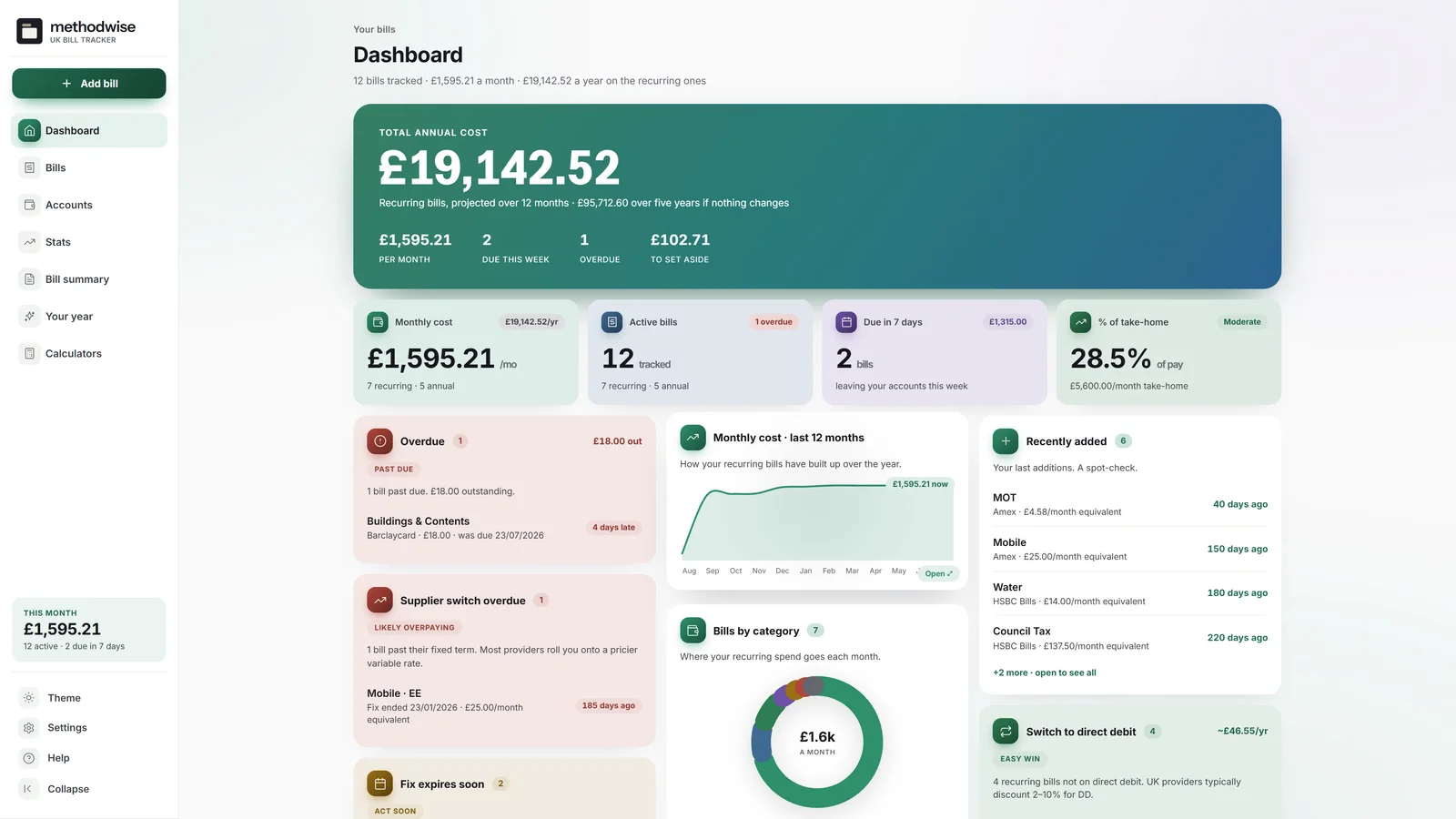
The actual light-mode dashboard, shown with the worked example.
The amount and the date together
Each bill carries its amount, frequency, next due date, account and payment status, with additional UK details where they matter.
Add monthly, quarterly, annual or one-off bills with category, account, notes and the amount you personally pay.
Separate scheduled, due-soon, overdue and paid bills, then mark one bill or a monthly group as paid.
Switch from the sortable list to a monthly calendar and open any day to review or mark its bills paid.
Record supplier, fixed-term end, payment method and amount changes, with reminders when a fix is ending.
Add Council Tax band and reductions, smart-meter status, water billing type and shared-bill amount where relevant.
Create a monthly bill summary and a year-in-bills view with categories, biggest costs and price changes.
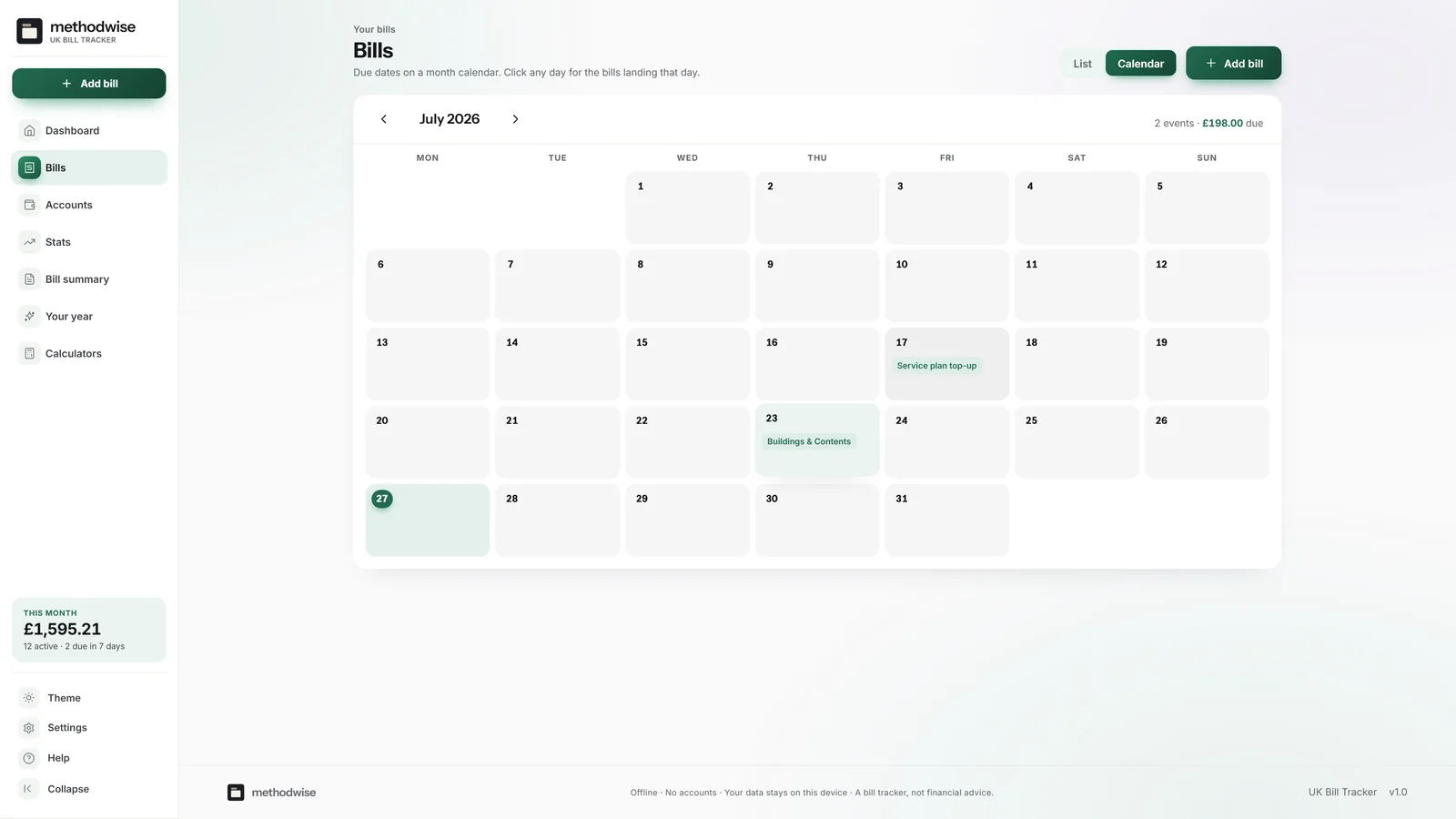
The monthly calendar
The calendar projects recurring schedules into the selected month while keeping the list view available for searching, filtering and sorting.
Beyond the next due date
The dashboard combines schedule checks with the cost information already entered.
How it works
No installation, app store or account is required.
Enter each bill and account yourself or bring a compatible CSV file.
Filter by status, inspect the month and mark bills paid as they clear.
Check overdue amounts, category costs, price changes and the printable monthly summary.
Private by design
The tracker runs locally in your browser. It has no account, cloud database or analytics, and it does not upload suppliers, amounts, accounts or due dates.
It does not connect to a bank or supplier. Export a JSON backup when you want to move or preserve the record.
Frequently asked
It works on Windows, Mac and Linux computers in a modern version of Chrome, Edge, Safari or Firefox.
No. It is an offline tracker. Enter bills yourself or import a compatible CSV file.
Yes. Mark an individual bill from the list or calendar, or use the monthly bulk action for several bills at once.
Due-soon, overdue and fixed-term reminders appear inside the tracker. You can also export a calendar file of upcoming bill and fix-end dates.
Yes. The Bill Summary page shows the selected month’s total, paid and outstanding split, account breakdown and full bill table.
The single-file UK Bill Tracker app, a quick-start guide, and licence and support details. Etsy delivers the download after purchase.
Buy the UK Bill Tracker on Etsy, download it once and use it without an account or subscription.
Buy on Etsy