Track every invitation and reply
Group households, record day or evening attendance, children, dietary needs, contact details, gifts and thank-you notes.
Event & Party Planner Suite
Track replies, suppliers and payments, work through the checklist, seat guests, build the timeline and organise shared food, drink and supplies. One private offline app for the whole event.
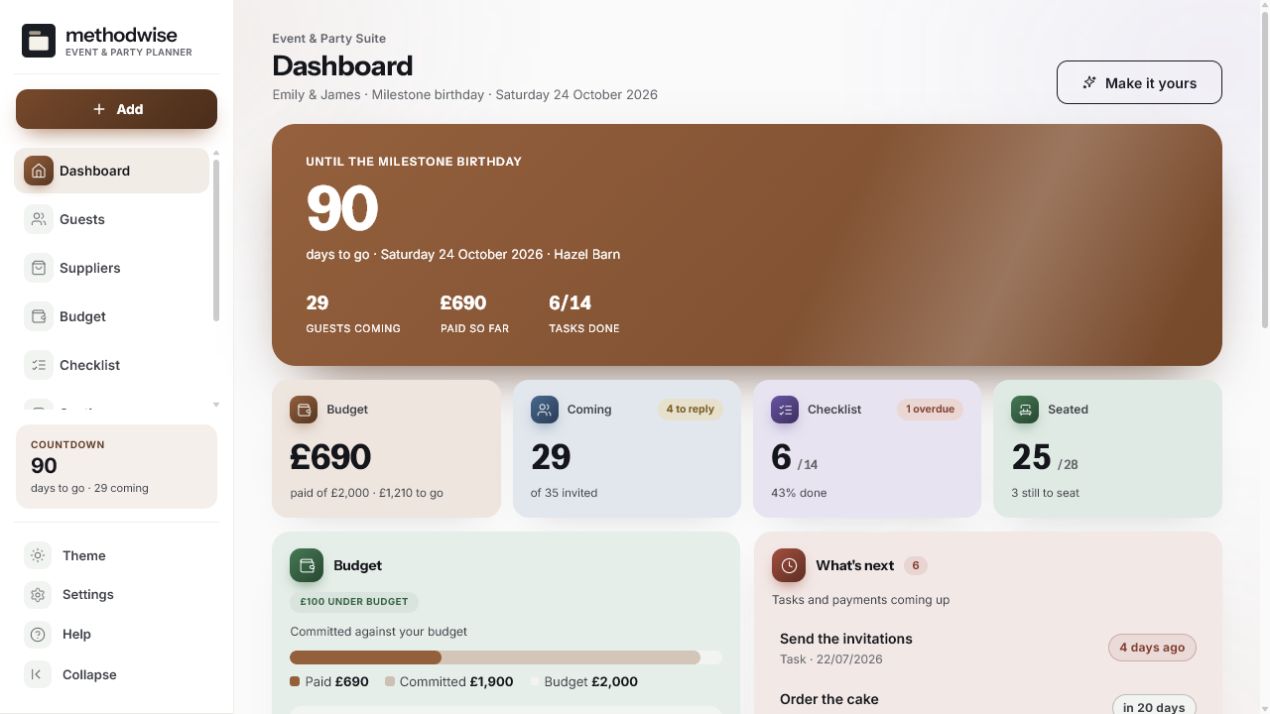
The actual event dashboard, shown with example data.
From invitations to the running order
The suite puts the records you keep checking into one app, with print and export options when someone else needs a copy.
Group households, record day or evening attendance, children, dietary needs, contact details, gifts and thank-you notes.
Set category budgets, record payments and compare paid, committed and remaining amounts against the overall plan.
Record supplier options, quotes, contact details, notes and progress from first contact to booked.
Load the included checklist, add your own tasks, set dates and export reminders to a calendar file.
Set capacities, tap guests into place, keep households together automatically and see who still needs a seat.
Put each part of the occasion in time order and print a practical schedule for the people helping it happen.
Shared food, drink and supplies
Keep contributions alongside the rest of the event plan, so shared items are claimed once and gaps stay visible.
The drinks calculation is a shopping estimate based on the figures you enter. It is not a guide to how much anyone should drink.
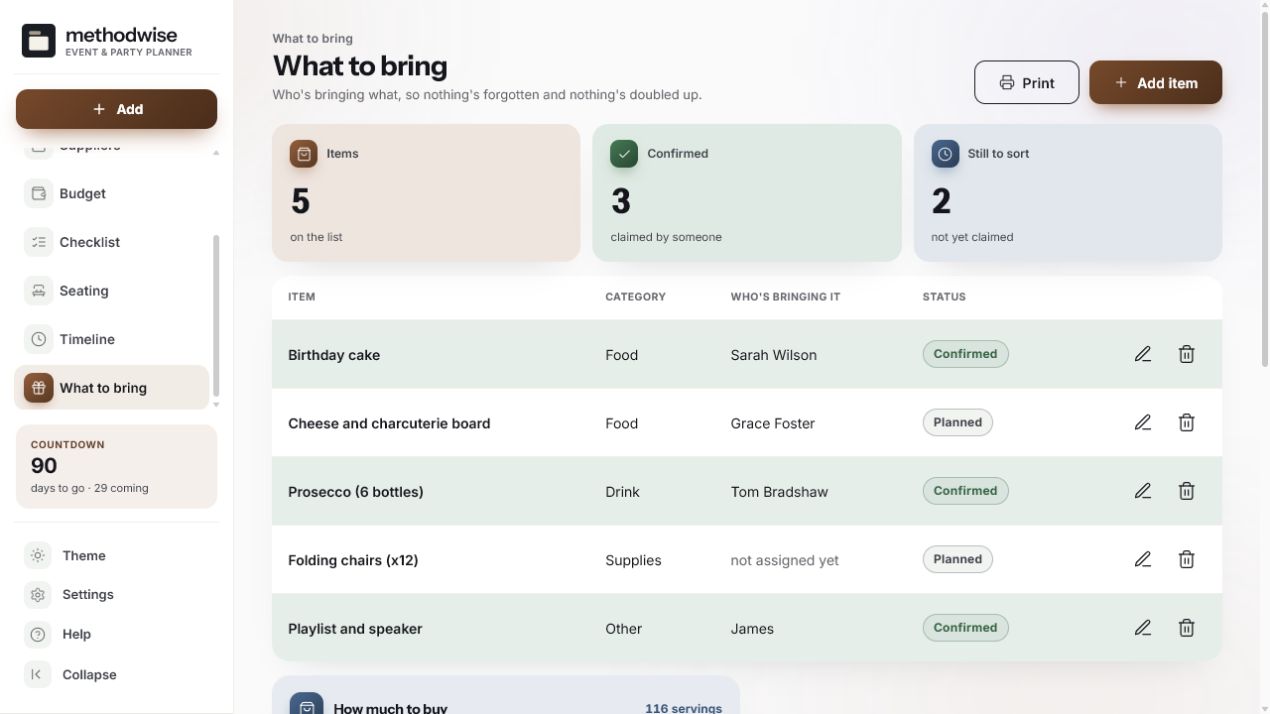
One suite, different occasions
Choose the occasion, names, date and venue, then change the colours, headings, corners, spacing and dashboard details. The suite includes 12 palettes, a custom colour option, six fonts, three hero styles, flourishes, a monogram, a cover photo, and light and dark modes.
Bring in an existing budget
If you have used the Methodwise Event & Party Budget Calculator, the suite can import its total, category split and occasion as a starting point. The import is optional, and you can also build the budget directly in the suite.
How it works
No installation, app store or account is required.
Etsy delivers the digital download after purchase, with the suite, quick-start guide, licence and support details.
Open the single HTML app in a modern browser on a Windows, Mac or Linux computer.
Set the occasion and date, then build the guests, budget, suppliers, checklist, seating, timeline and shared list.
Private by design
The suite runs locally in your browser. It has no account, cloud database or analytics, and it does not upload guest names, contact details or event finances.
It does not provide hosted invitations, a guest-facing RSVP link, automatic messages or live multi-host syncing. Record replies in the suite, and use backup export and import when you want to move the plan to another computer.
Frequently asked
It works on Windows, Mac and Linux computers in a modern version of Chrome, Edge, Safari or Firefox.
The setup includes children's parties, milestone birthdays, engagements, anniversaries, christenings, graduations, retirements, seasonal gatherings and an Other option for your own occasion.
No. The suite is deliberately offline and does not host invitations or a guest-facing RSVP form. You record replies in the guest list as they arrive.
Yes. You can paste names or import a CSV file, then export guest records again. The suite also produces printable guest and caterer summaries.
No. There is no live collaboration or automatic sync. You can export a backup and import it on another computer when you want to hand over the latest copy.
It produces a shopping estimate from the guest count, serving hours and percentages you enter. It is not a recommendation for how much anyone should drink.
You can print useful views including guest and caterer summaries, supplier contacts, the budget, checklist, seating plan, timeline and what-to-bring list. Guest CSV, calendar and full backup exports are also included.
The single-file Event & Party Planner Suite app, a quick-start guide, and licence and support details. Etsy delivers the download after purchase.
Buy the Event & Party Planner Suite on Etsy, download it once and keep using it without an account or subscription.
Buy on Etsy