Fill 21 meal slots
Plan breakfast, lunch and dinner across seven days, replace a meal or add a one-off without leaving the grid.
Meal planner and grocery budget
Fill breakfast, lunch and dinner across the week from your own meal library. The app scales servings, totals the planned spend and groups every ingredient into a shopping list by aisle.
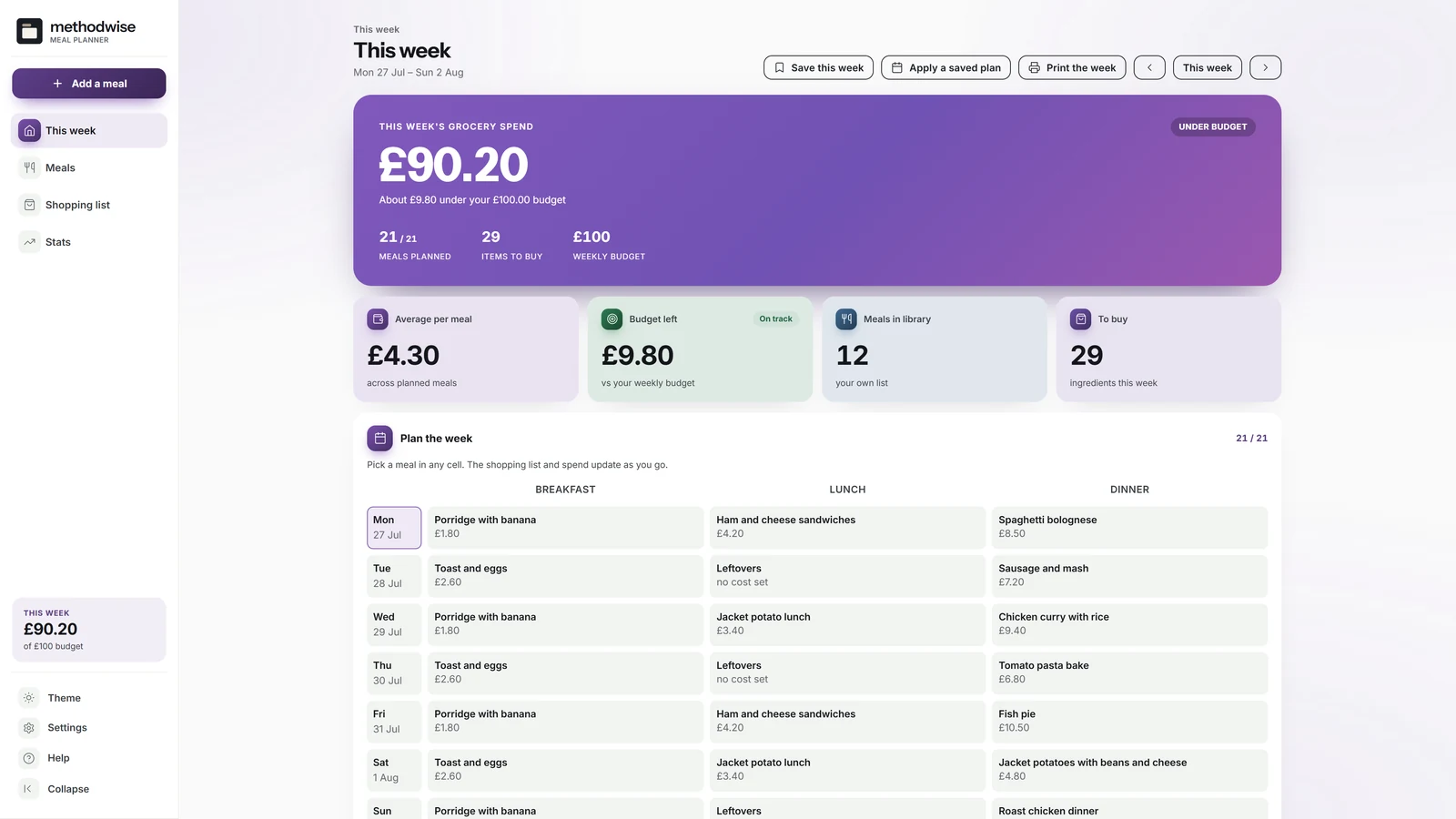
The actual light-mode week plan, shown with the example household.
The week, the list and the budget
The week plan is the source of truth. Planned cost and shopping quantities follow the meals and servings selected.
Plan breakfast, lunch and dinner across seven days, replace a meal or add a one-off without leaving the grid.
Store ingredients, aisle, servings, rough cost, tags and notes, with favourites and a starter library of editable UK meals.
Choose how many you are cooking for when placing a meal and scale the spend and ingredient quantities proportionally.
Compare the week with an editable grocery budget and see the amount left or the amount over before shopping.
Merge duplicate ingredients, show which meals need them and add any one-off item that is not part of the plan.
Save a named week, apply it later and fill only empty slots, or copy last week forward in the same way.
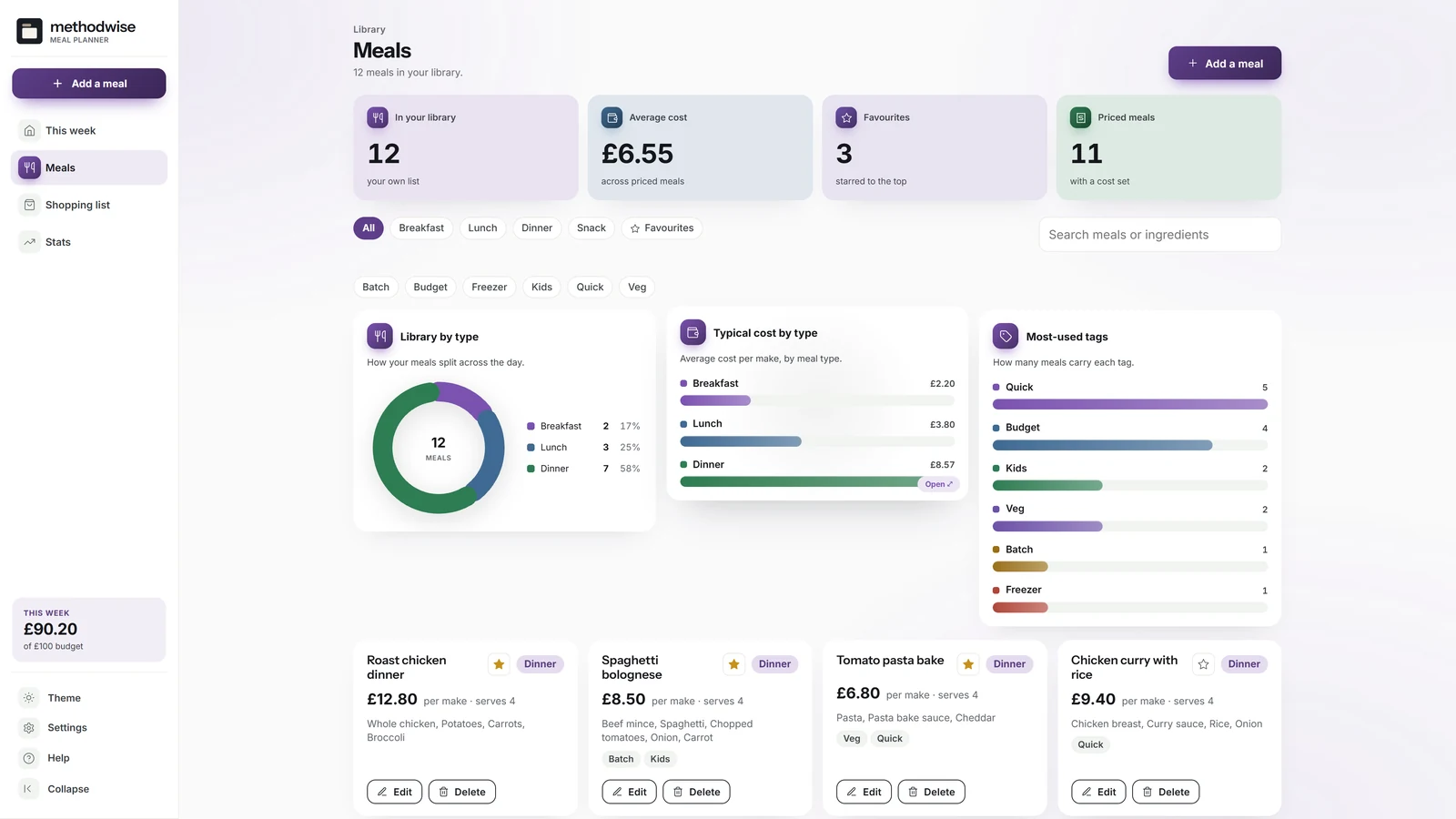
Your own meal library
The library keeps reusable meals separate from the calendar, so recipes can be edited once and placed in as many weeks as needed.
A list organised for the shop
Ingredients from the selected week are merged by aisle, with the source meals kept visible.
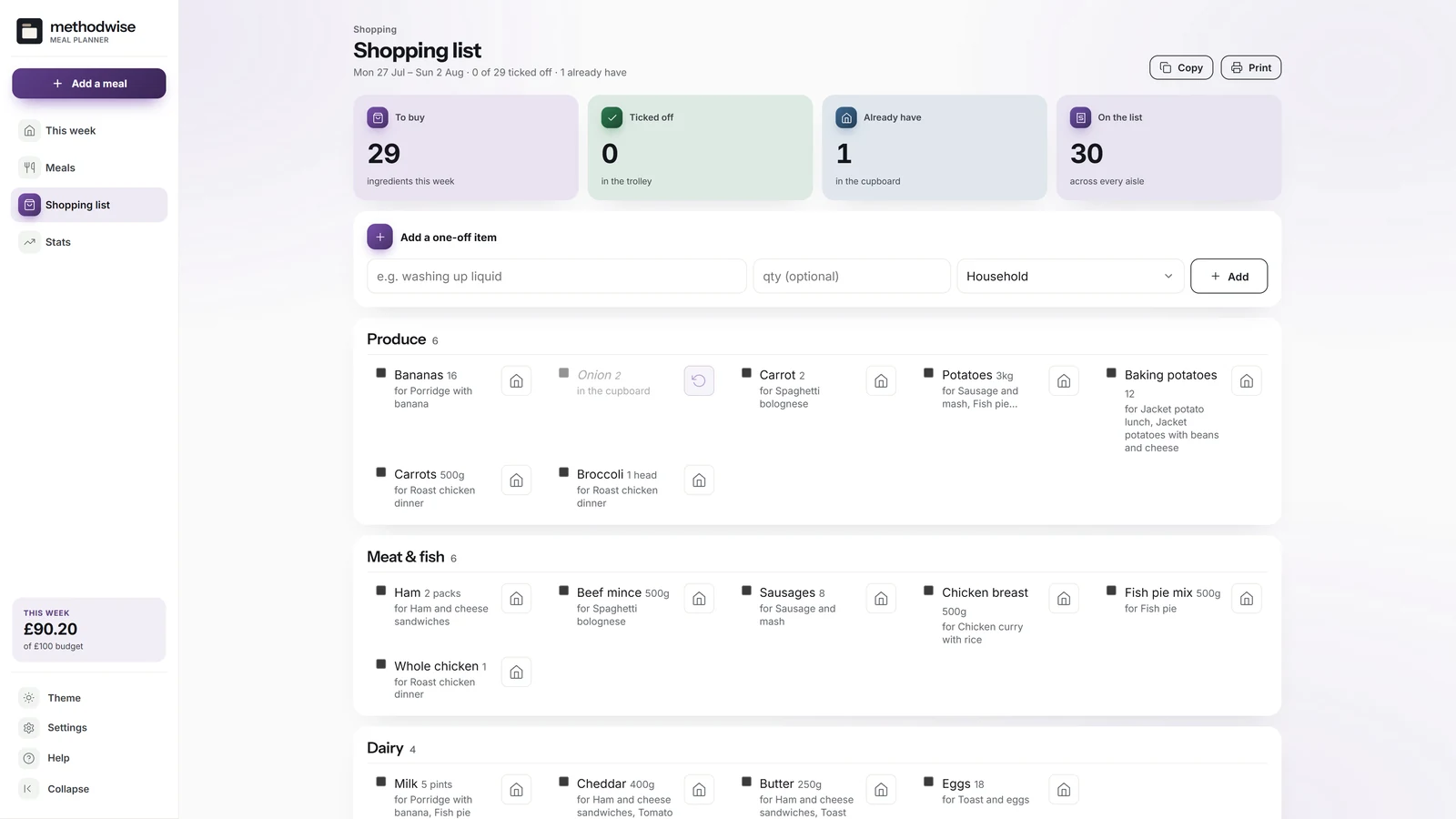
One connected week
The app does not maintain a second shopping list that can drift away from the meals.
How it works
No installation, app store or account is required.
Add your regular meals or start with the included editable examples.
Choose a meal for each slot and adjust the servings for the people eating.
Review the spend, mark cupboard items, add extras and print or copy what remains.
Private by design
The planner runs locally in your browser. It has no account, cloud database or analytics, and it does not upload meals, ingredients, plans or budget figures.
It does not import recipes or fetch live supermarket prices. Export a JSON backup when you want to move the meal library and saved weeks.
Frequently asked
It works on Windows, Mac and Linux computers in a modern version of Chrome, Edge, Safari or Firefox.
It includes a starter library of common UK meals, but it is not a recipe book. Every example is editable and you can add your own meals, ingredients, costs and notes.
No. It is a meal and grocery-budget planner, not a calorie, macro or nutrition tracker.
No. The app is offline and does not scrape websites or connect to retailers. You enter the prices you want to use.
The placed meal cost and ingredient quantities are scaled from the meal library serving size. You can update the servings again after the meal is on the week plan.
Yes. The week prints as a clean seven-day grid, and the shopping list has its own print view that excludes items marked as already owned.
The single-file Meal Planner & Grocery Budget app, a quick-start guide, and licence and support details. Etsy delivers the download after purchase.
Buy the Meal Planner & Grocery Budget on Etsy, download it once and keep using it without an account or subscription.
Buy on Etsy