Keep the caseload searchable
Record status, contact details, session type, standard fee, referral source, tags, package information and a standing note.
Private Client Tracker
Track clients, appointments, package credits, paid and unpaid fees, referral sources and supervision hours in one offline organiser for a solo therapy or coaching practice.
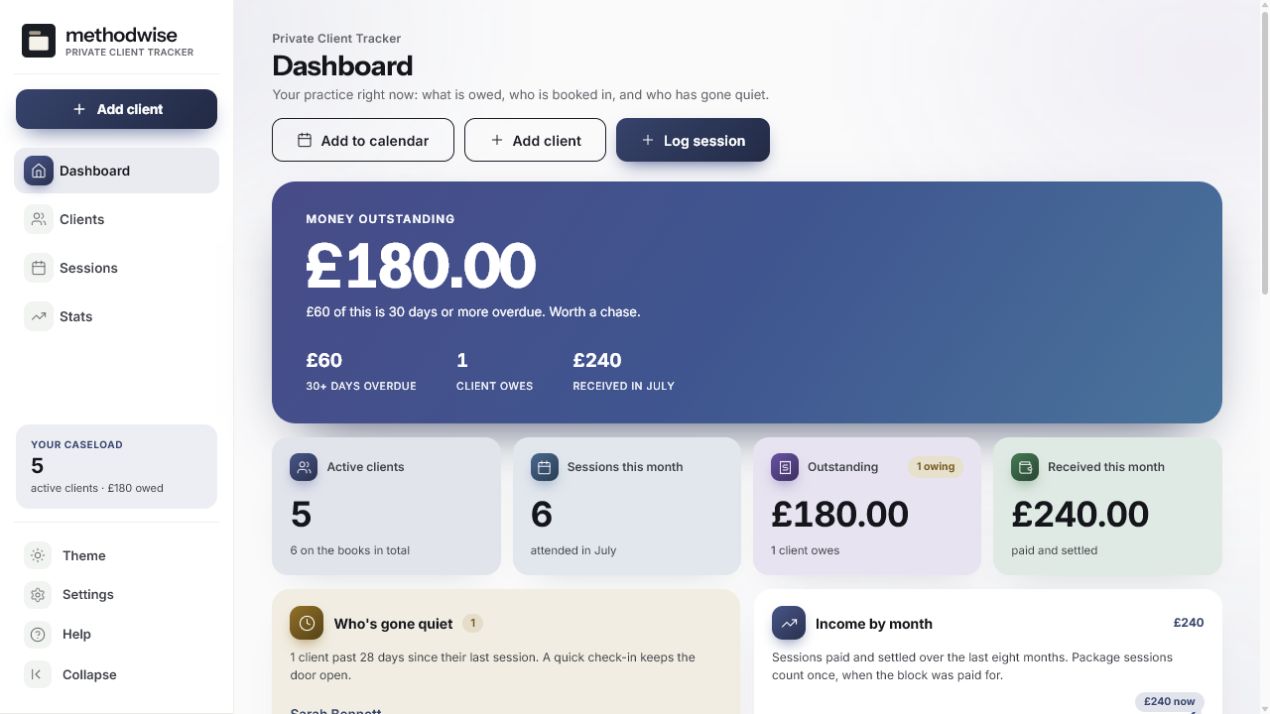
The actual practice dashboard, shown with example data.
The practice records you keep checking
The tracker connects each client to their sessions, fees and package credits, then turns those records into the practice overview.
Record status, contact details, session type, standard fee, referral source, tags, package information and a standing note.
Track booked, attended, cancelled and no-show sessions, with quick actions for marking attendance and payment.
Separate settled sessions from outstanding fees and flag money that has been unpaid for 30 days or more.
Record a package total and see the remaining credits update when its attended sessions are logged.
Choose the follow-up threshold and see active clients whose last attended session falls beyond it.
See monthly income, caseload mix, attendance, referral sources, yearly totals and your own supervision log.
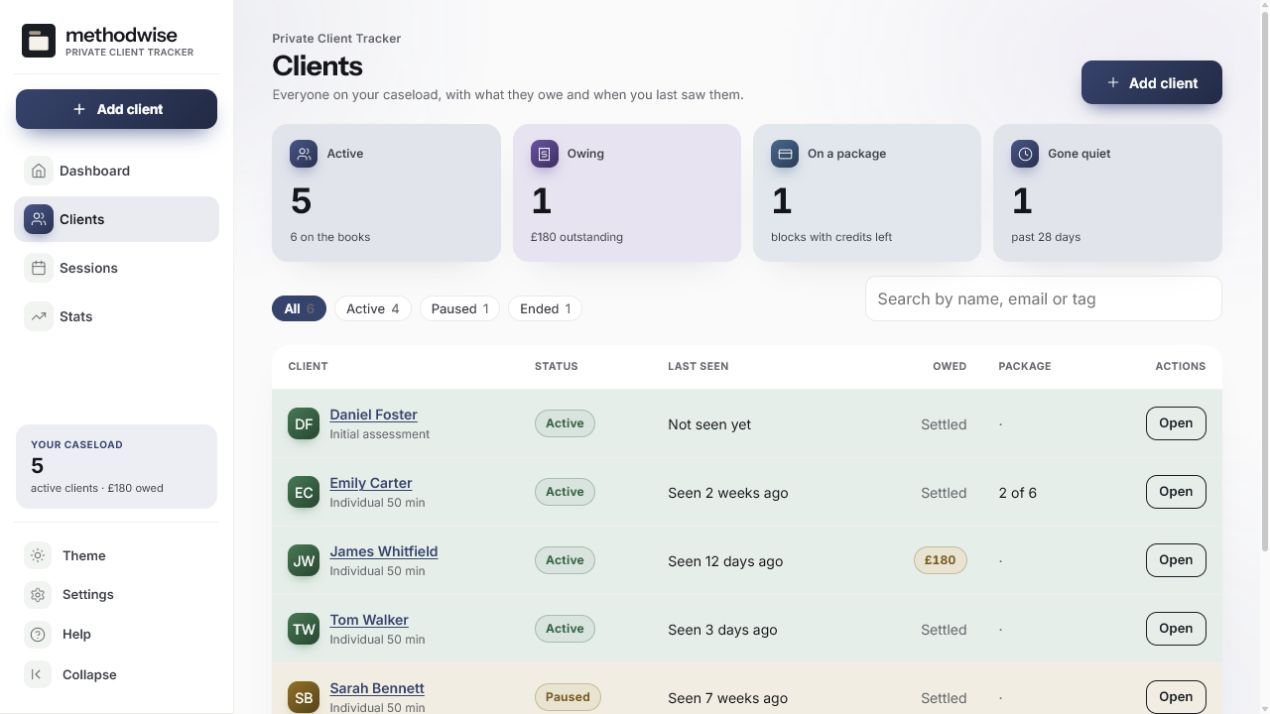
A caseload you can scan
Filter by client status, search by name, email or tag, and open one client to see their balance and full session history.
Clear product boundaries
The tracker is built for one practitioner keeping their own working records. Its offline format is deliberate, but it does not replace the professional systems or procedures your practice may require.
Set it up for your practice
Add your practitioner name and profession label, set a default session fee and choose when an active client should appear as gone quiet. You can also change the colour palette, type, spacing and light or dark appearance.
How it works
No installation, app store or account is required.
Etsy delivers the digital download after purchase, with the tracker, quick-start guide, licence and support details.
Open the single HTML app in a modern browser on a Windows, Mac or Linux computer.
Create the client list and log sessions as they happen. The dashboard, balances and statistics update from those records.
Private by design
The tracker runs locally in your browser. It has no account, cloud database or analytics, and it does not upload client names, contact details, session notes or fees.
Because the records live on that device, you are responsible for device security and for choosing records, retention and backup procedures that suit your professional and legal obligations. The included JSON backup lets you save a copy or move the latest data manually.
Frequently asked
It is designed for one self-employed therapist, counsellor, coach or similar practitioner keeping a private caseload and fee record on their own computer.
It works on Windows, Mac and Linux computers in a modern version of Chrome, Edge, Safari or Firefox.
No. It is a caseload and fee organiser, not an EHR, practice-management service or compliance guarantee. The optional SOAP fields are a private note template that you choose whether to use.
The data is stored by the browser on the computer where you use the tracker. Nothing is uploaded by the app. You can export a JSON backup and import it again later.
No. It does not provide online booking, email or text reminders. It can export upcoming booked sessions as a calendar file for you to add to a calendar.
No. It records whether a session fee is settled or owed and can print a private client statement. The statement is not a tax invoice, and the app does not process payments.
No. It is a single-practitioner app with no shared access or live sync. Export and import a backup when you need to move the latest copy to another computer.
The single-file Private Client Tracker app, a quick-start guide, and licence and support details. Etsy delivers the download after purchase.
Buy the Private Client Tracker on Etsy, download it once and keep using it without an account or subscription.
Buy on Etsy