Record money when it is received or paid
Track income, expenses, categories, customers, suppliers and evidence. Unpaid invoices stay outside cash-basis figures until payment arrives.
UK Sole Trader Ledger
Record cash-basis income and expenses, prepare cumulative quarterly figures, estimate the tax position and produce a printable SA103F-shaped summary, with separate records for each trade.
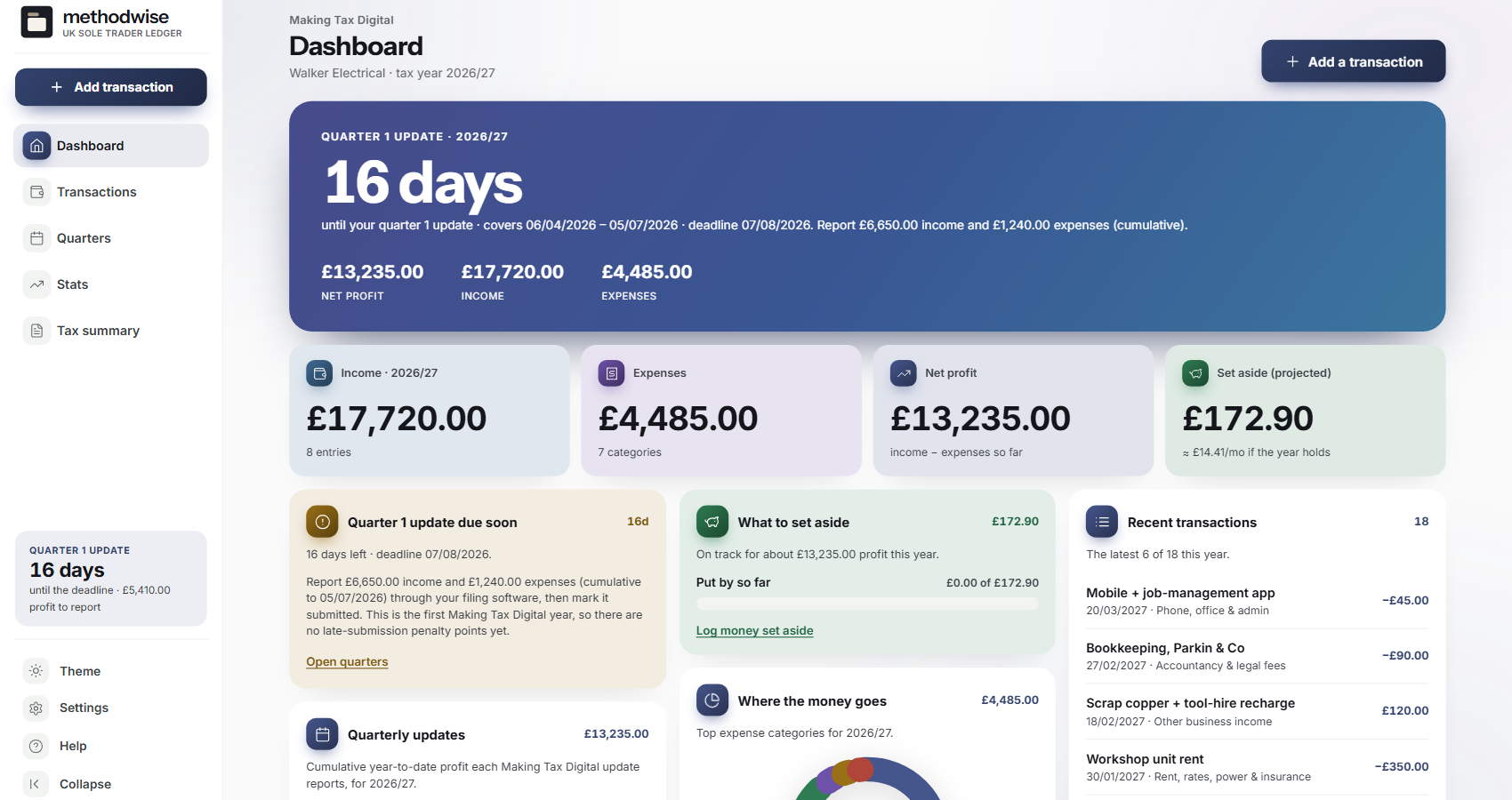
The actual ledger dashboard, shown with example sole-trader records.
Records through to year end
Each entry feeds the dashboard, MTD quarter view, tax estimate and annual summary.
Track income, expenses, categories, customers, suppliers and evidence. Unpaid invoices stay outside cash-basis figures until payment arrives.
See quarter dates, year-to-date totals and the underlying entries, then copy the figures and keep a dated submission snapshot.
Estimate Income Tax and Class 4 National Insurance, choose Scotland or the rest of the UK and compare the result with money already reserved.
Review income, expense categories, adjustments and calculated profit in a return-shaped worksheet for copying into the official service.
Keep each trade's records and quarters apart while the person-level tax estimate combines the relevant totals.
Map bank-export columns, save recurring transactions, export your records and move compatible figures into other Methodwise tax tools.
Quarter by quarter
The MTD workspace turns the ledger into cumulative year-to-date totals and keeps the deadline, status and source entries beside them.
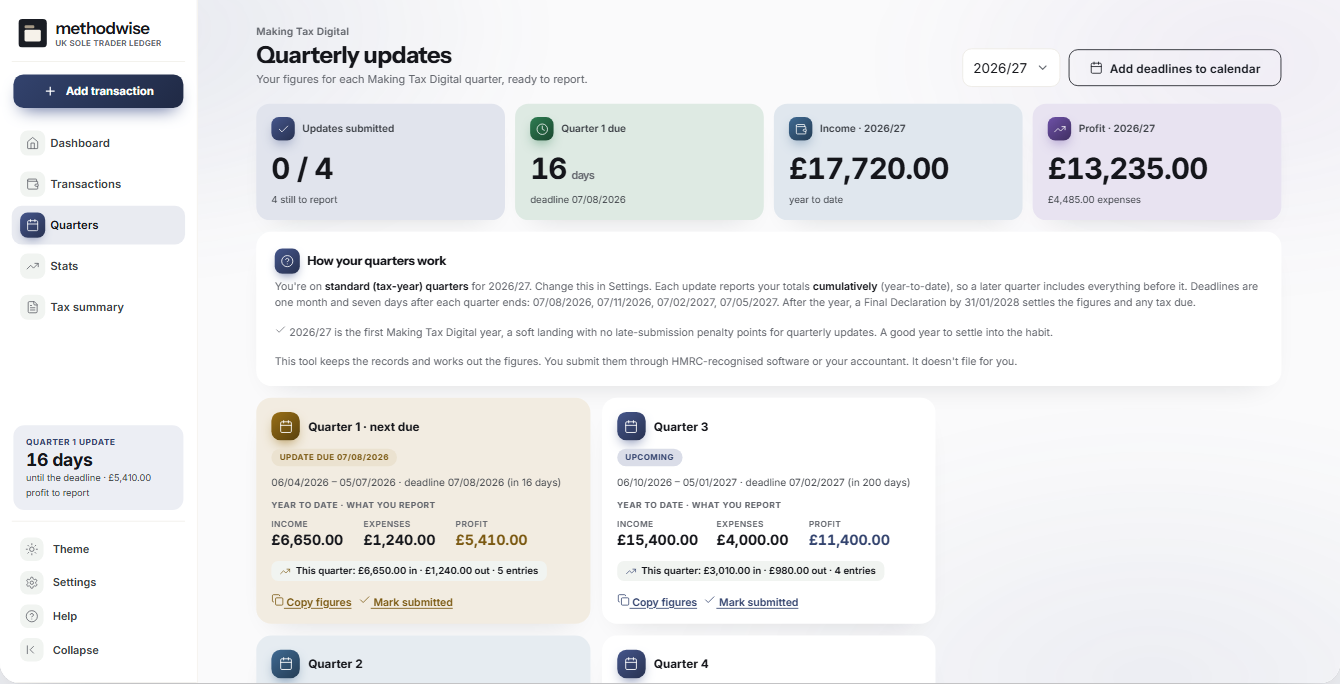
Clear MTD boundary
The ledger is a record-keeping and preparation tool. It shows cumulative quarter totals and deadlines, but it is not recognised filing software and does not connect to an HMRC account. Check the current rules and use compatible software where filing applies.
How it works
No installation, account or subscription is required.
Choose the tax year, accounting basis, region and trade details, then set any opening tax reserve.
Record transactions as money moves, or map a bank CSV and review it before importing.
Check the quarter, tax estimate and annual summary, then print or export the records you need.
A connected tax workspace
Private by design
The ledger runs locally in your browser. It has no account, cloud database, analytics, bank feed or OCR, and it does not upload transaction details.
It does not create invoices, submit VAT returns, run payroll or file with HMRC. JSON and CSV transfers are manual files that you control. Keep regular backups somewhere separate from the downloaded app.
Frequently asked
It is designed for UK sole traders who want an offline cash-basis income and expense ledger, including people who run more than one trade.
No. It prepares figures, deadlines and worksheets for you to review and copy. It does not connect to HMRC or replace compatible filing software.
On the cash basis, invoice income is excluded until you mark the payment as received. The invoice can still be recorded and followed while it remains unpaid.
Yes. Each trade has its own transactions, MTD quarters and annual summary, while person-level tax estimates can use the combined relevant figures.
It imports CSV files through a column-mapping and review flow. It does not connect directly to a bank, and your bank's CSV layout may need to be mapped before import.
No. It can watch the turnover you record against a VAT threshold, but it is not VAT-return, payroll or accounting software.
It works on Windows, Mac and Linux computers in a modern version of Chrome, Edge, Safari or Firefox.
The single-file UK Sole Trader Ledger app, a quick-start guide, and licence and support details. Etsy delivers the download after purchase.
Buy UK Sole Trader Ledger on Etsy, download it once and keep using it without an account or subscription.
Buy on Etsy