Record a trip in the form that suits the evidence
Add the date, route, business purpose, vehicle and miles directly, or calculate the distance from start and end odometer readings.
UK Mileage Tracker
Record journeys by route or odometer, apply current HMRC mileage bands automatically, prepare a printable claim summary and keep MOT, service, insurance and vehicle-tax dates beside the log.
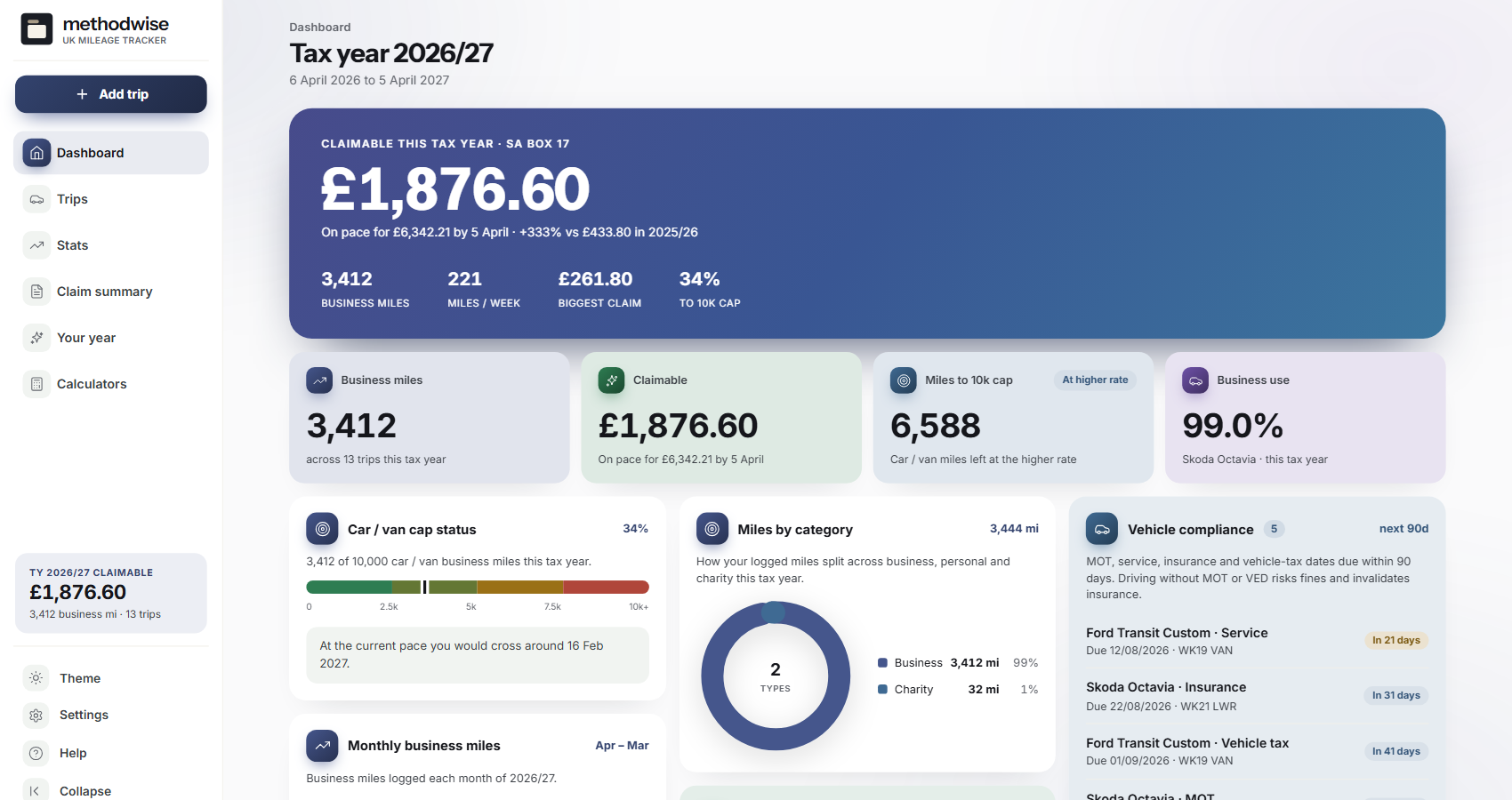
The actual mileage dashboard, shown with example business journeys.
Journey to claim
Each trip feeds the mileage total, year and quarter views, statistics and printable claim summary.
Add the date, route, business purpose, vehicle and miles directly, or calculate the distance from start and end odometer readings.
The tracker assigns the relevant car, van, motorcycle or bicycle rate and follows the annual car and van mileage threshold.
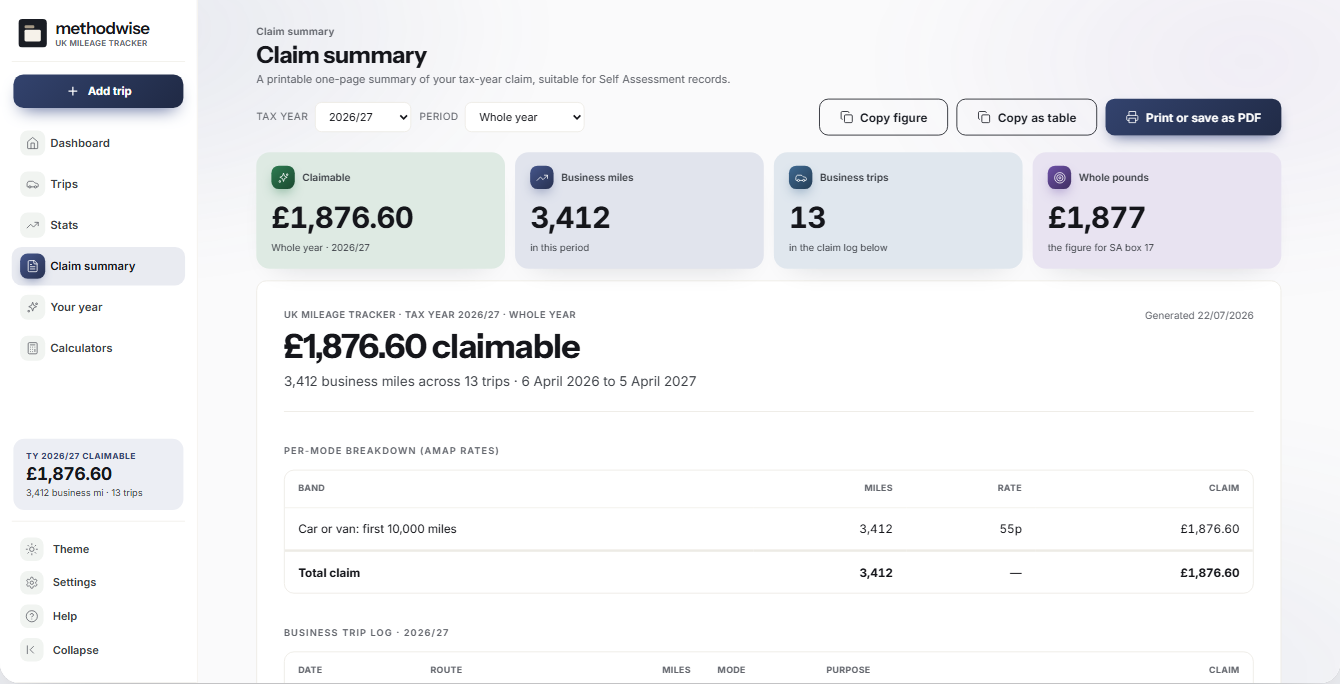
See mileage and calculated amount by vehicle and period, with a whole-year summary and the figure used for the return worksheet.
Filter by tax year, quarter, vehicle and journey purpose, then copy or export the records needed for another workflow.
Store multiple vehicles and watch MOT, service, insurance and vehicle-tax dates without mixing them into the claim itself.
Review monthly patterns, favourite routes, annual progress and any gap between an employer payment and the calculated approved amount.
Claim summary
The summary groups the mileage log into a print-ready view while retaining the trip-level records used to calculate it.
Current rates, clear limits
The tracker uses current approved mileage bands and lets you keep the journey evidence behind the total. Whether simplified mileage is available or preferable depends on your circumstances and previous treatment of the vehicle.
How it works
No installation, account or subscription is required.
Choose its type, give it a useful name and add any MOT, service, insurance or vehicle-tax dates you want to watch.
Enter the route, purpose and distance, reuse a route template or duplicate a similar journey and change the details.
Check the tax-year summary and trip table, then print, copy or export the record you need.
A connected tax workspace
Private by design
The tracker runs locally in your browser. It has no account, cloud database, analytics, GPS or live location tracking, and it does not upload routes or vehicle details.
It does not file with HMRC, submit an employer claim or verify whether a journey qualifies as business travel. JSON and CSV transfers are manual files that you control. Keep regular backups somewhere separate from the downloaded app.
Frequently asked
It is designed for UK sole traders, employees and small-business owners who need to keep a manual business-mileage log and calculate an approved mileage amount.
It uses the current tax-year bands built into the app for cars and vans, motorcycles and bicycles, including the annual car and van threshold. Always check the current official rate table before relying on a claim.
No. They are different methods, and rules can restrict switching for the same vehicle. The tracker includes an AMAP-versus-fuel comparison for planning, but it does not choose the correct tax treatment for you.
Record the reimbursement and use the gap calculator to compare it with the approved amount. Eligibility for any tax relief still depends on the journey and your circumstances.
Yes. Add multiple cars, vans, motorcycles or bicycles and keep each trip attached to the vehicle used.
No. It has no GPS or location permission. You enter the distance directly or use odometer readings, so the journey record remains under your control.
It works on Windows, Mac and Linux computers in a modern version of Chrome, Edge, Safari or Firefox.
The single-file UK Mileage Tracker app, a quick-start guide, and licence and support details. Etsy delivers the download after purchase.
Buy UK Mileage Tracker on Etsy, download it once and keep logging without an account or subscription.
Buy on Etsy