Price after fees and labour
See each configured Etsy fee, net profit, margin, break-even price and what your time earns per hour.
UK Etsy seller toolkit
Calculate margin after every Etsy fee and your own time, move products through a six-stage listing pipeline, plan seller tasks and record money in and out. One offline app built for UK sellers.
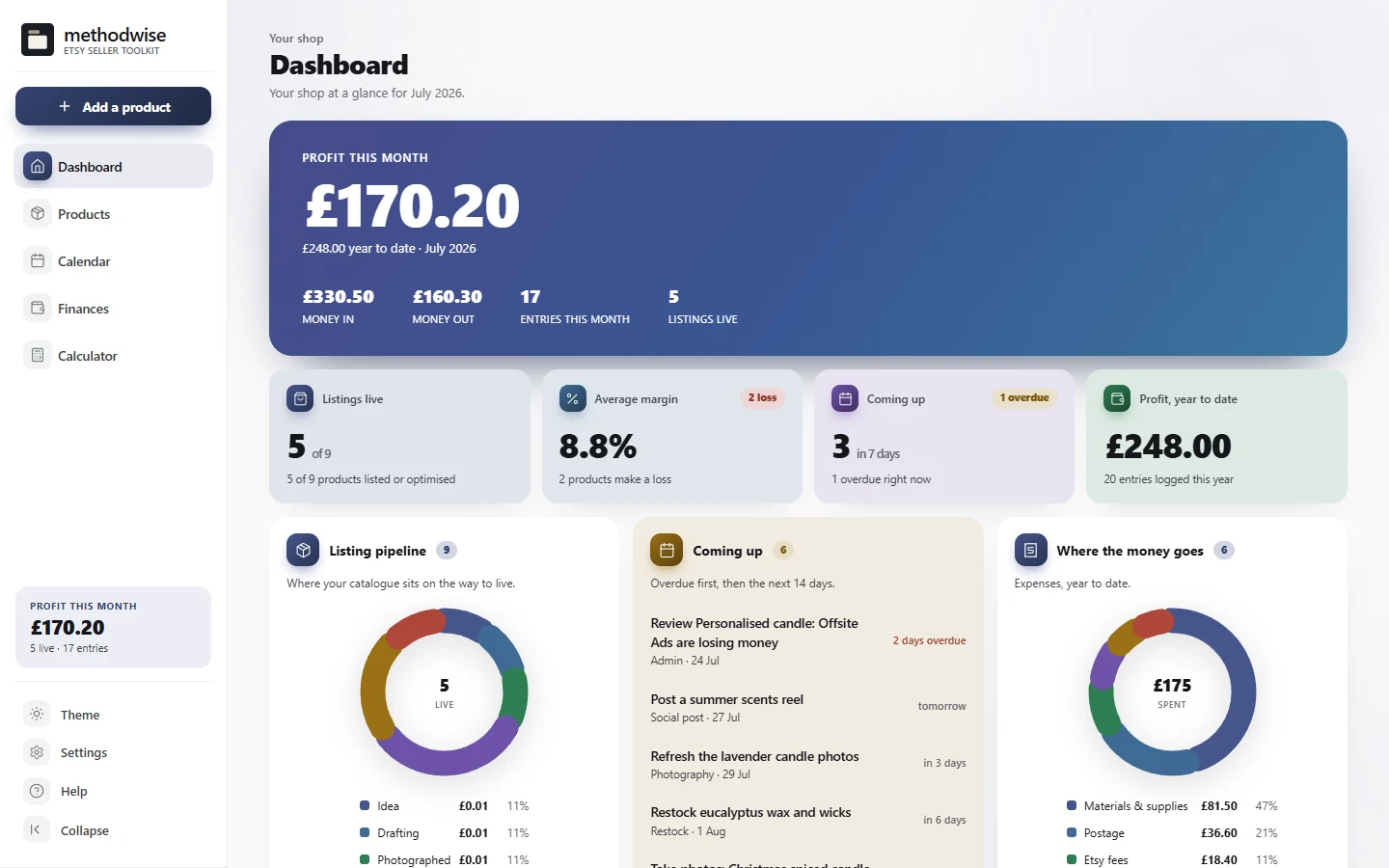
The actual toolkit dashboard, shown with example shop data.
One workspace for the shop
The toolkit connects product pricing, listing progress, seller tasks and shop finances without connecting to your Etsy account.
See each configured Etsy fee, net profit, margin, break-even price and what your time earns per hour.
Use a six-stage board or sortable table, with margin verdicts, stock flags and SEO review fields on every product.
Schedule photography, restocks, listing refreshes, social posts and sales, with built-in UK seasonal moments and calendar export.
Keep a light income and expense ledger, monthly and year-to-date profit, expense categories and a printable summary.
Find products making a loss, low stock, overdue reminders, listings without an SEO review and the strongest margins.
Download product and finance CSV files, export calendar reminders and keep a JSON backup for moving or restoring your data.
Profit after every cost
The built-in calculator carries the fee maths into every product card.
A listing pipeline, not a loose list
The catalogue holds the selling details that affect what you make and what you need to do next.
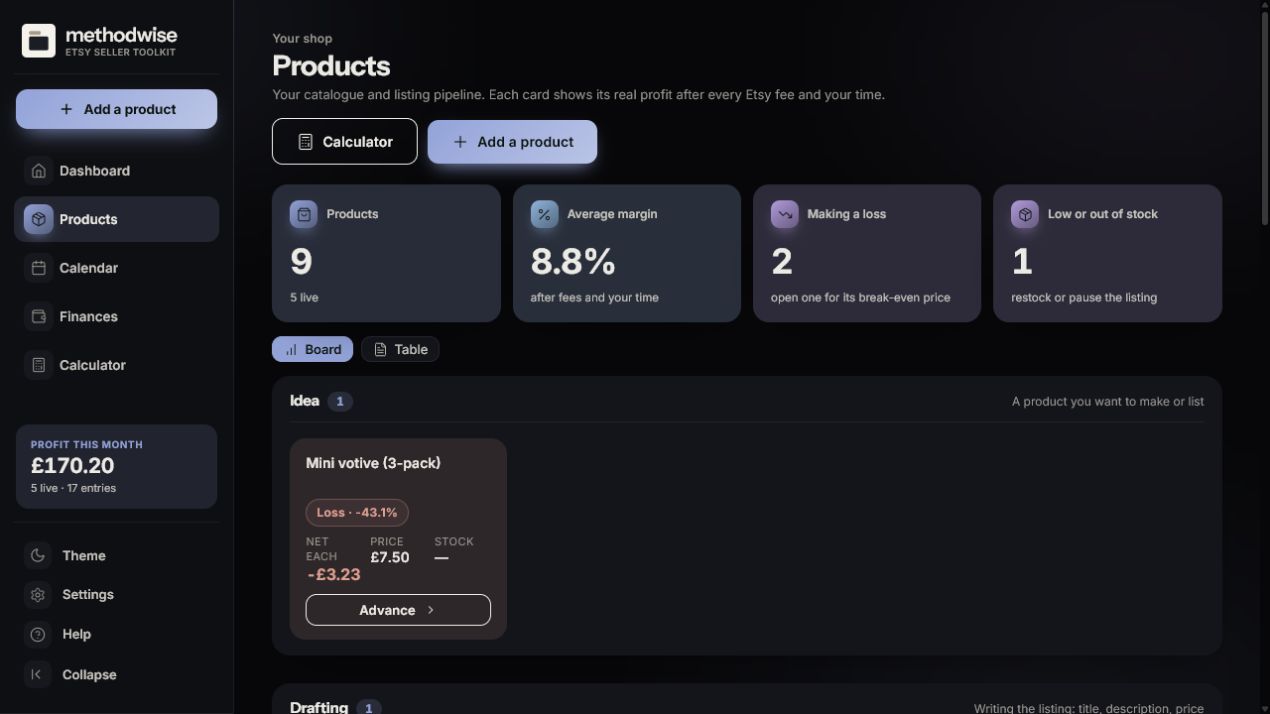
The product pipeline
Each product card carries its price, net profit, margin and stock beside the work needed to get the listing live.
Choose the appearance. The toolkit includes Aurora, Noir, Warm and Mono looks, each available in light and dark mode. The pipeline shown here uses Noir dark mode.
Try the core maths first
Check the profit and margin on one product in the browser. The paid toolkit adds the product catalogue, pipeline, calendar, finances and saved shop settings around that calculator.
How it works
No installation, app store or account is required.
Etsy delivers the digital download after purchase, with the toolkit, quick-start guide, licence and support details.
Open the single HTML app in a modern browser on a Windows, Mac or Linux computer.
Set your fee defaults, add products and seller tasks, then export a backup whenever you want a separate copy.
Private by design
The toolkit runs locally in your browser. It has no account, cloud database or analytics, and it does not upload your products or finances. It does not connect to Etsy, so products, orders and stock are entered and maintained by you.
It does not sync automatically between computers. Export a backup from one device and import it on another when you want to move the data.
Frequently asked
It works on Windows, Mac and Linux computers in a modern version of Chrome, Edge, Safari or Firefox.
No. The toolkit is deliberately offline. It does not use Etsy login details or automatically import orders, listings or stock. You enter and maintain the records you want to track.
Yes. The calculator ships with UK Etsy fee defaults and lets you edit each rate or reset the defaults. It also includes optional Offsite Ads and currency-conversion fees.
In your own browser on your device. Nothing is uploaded. The toolkit includes backup export and import so you can keep a separate copy or move data yourself.
The single-file toolkit app, a quick-start guide, and licence and support details. Etsy delivers the download after purchase.
No. The finances area is a light organiser for money in and out, not bookkeeping software, tax advice or a tax return.
Buy the UK Etsy Seller Toolkit on Etsy, download it once and keep using it without an account or subscription.
Buy on Etsy