Create a proper A4 invoice
Add line items, payment terms, references and business details, apply VAT per line where relevant, and print or save the finished document as a PDF.
UK Invoice Tracker
Build proper A4 invoices in your own branding, track part payments and overdue balances, prepare chase letters and calculate the eligible statutory charges on late business debts.
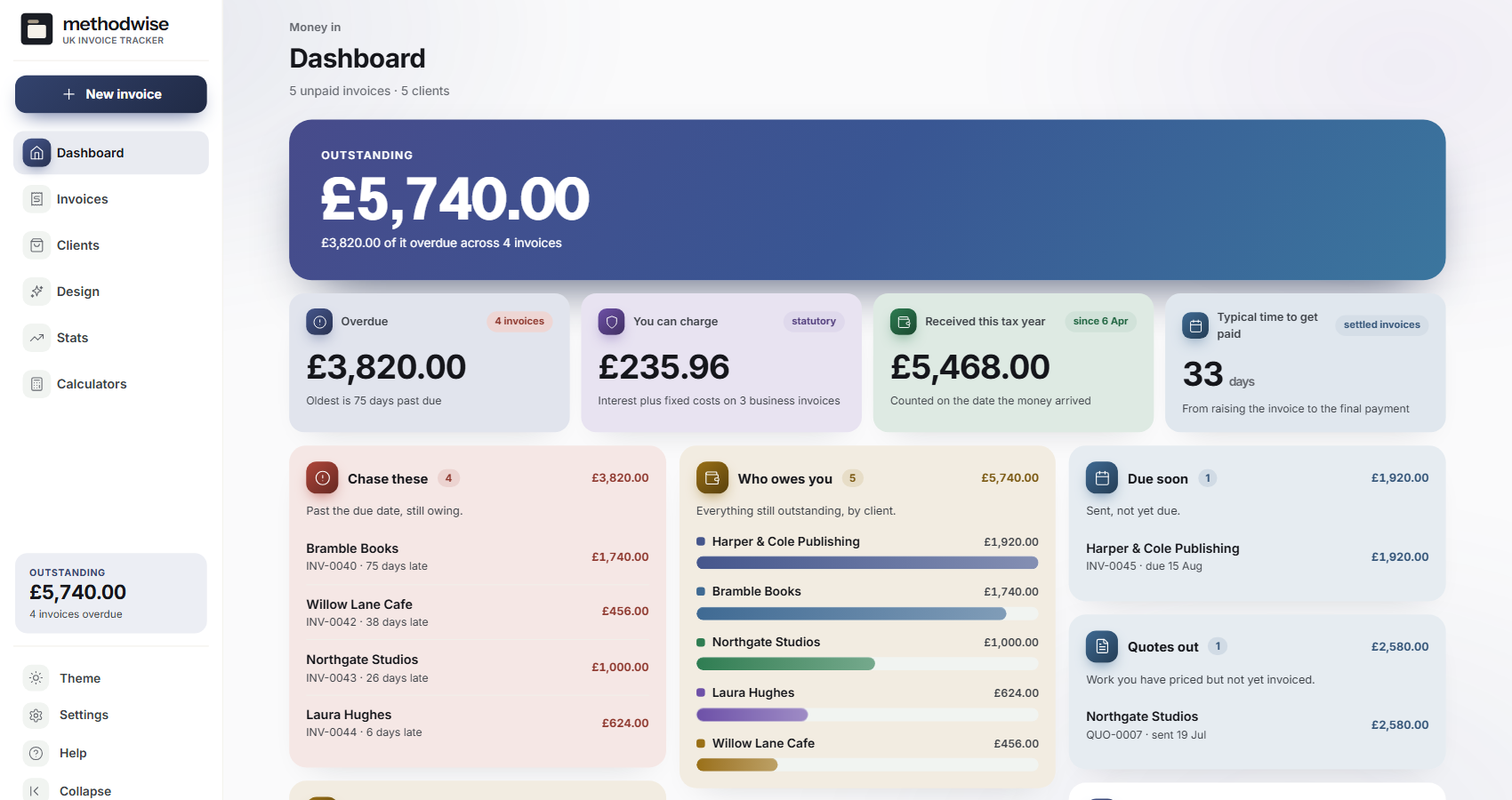
The actual money-in dashboard, shown with example invoices and clients.
Invoice to payment
Each invoice retains its client, line items, tax treatment, status, payments and printable document.
Add line items, payment terms, references and business details, apply VAT per line where relevant, and print or save the finished document as a PDF.
Mark invoices sent, record part payments, raise credit notes, duplicate work, void mistakes and keep overdue status derived from the real due date.
For qualifying business debts, calculate daily statutory interest and the applicable fixed recovery cost from editable reference figures.
Copy one of three escalating letters with the invoice number, amount still owed, days late and relevant statutory figures already inserted.
Turn a draft invoice or quote into two linked documents with penny-exact totals across mixed VAT rates and separate payment dates.
Review aged debt, client balances, received income and payment timing, then export invoice and payment records as CSV.
The client document
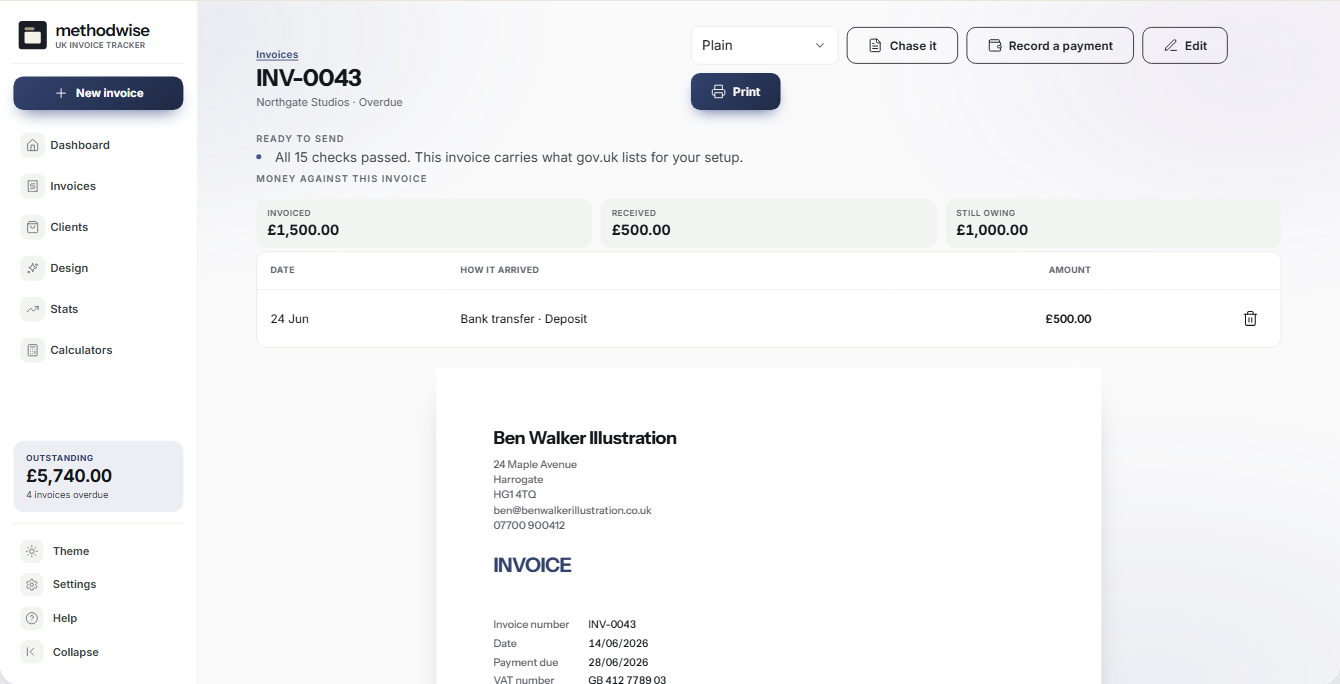
The document view brings the invoice, live requirements check and recorded payments together before printing.
Choose the edition
UK Invoice Tracker
The complete invoice and payment tracker with a focused design library.
UK Invoice Tracker Pro
The complete tracker plus quotes, statements and the full design library.
UK rules, carefully framed
The tracker checks the fields recorded against the business type and VAT settings you choose. Its late-payment calculation applies only to eligible business-to-business debts, uses editable figures and does not decide whether you should make a claim.
How it works
No installation, account or subscription is required.
Set up the seller details, tax status, appearance and payment terms, then add the client receiving the invoice.
Add the work, check the live requirements list, print or save the invoice as a PDF, and send it through your own email.
Mark it sent, add each payment and use the overdue tools or chase letters if the balance remains unpaid.
Private by design
The tracker runs locally in your browser. It has no account, cloud database, analytics, email service or payment processor, and it does not upload client or invoice records.
It does not send invoices, take card payments, file with HMRC or decide whether a debt qualifies for statutory charges. JSON and CSV transfers are manual files that you control. Keep regular backups somewhere separate from the downloaded app.
Frequently asked
Pro includes 22 document designs, quotes that convert into invoices in place and printable client statements. The Base edition has three designs and does not include quote conversion or statements.
Yes. Export a JSON backup from the Base tracker and import it into Pro. The editions share the same underlying data format for that upgrade route.
No. Save the invoice as a PDF and attach it through your own email service. The app has no server and sends nothing itself.
No. The calculation is available only for clients marked as businesses and still depends on whether the debt qualifies. Consumer invoices are excluded.
Yes. Set VAT at document and line level, including standard, reduced, zero, exempt and no-VAT treatments, and retain the summary on the invoice.
It works on Windows, Mac and Linux computers in a modern version of Chrome, Edge, Safari or Firefox.
The single-file UK Invoice Tracker app, a quick-start guide, and licence and support details. Etsy delivers the download after purchase.
Buy UK Invoice Tracker on Etsy, download it once and keep using it without an account or subscription.
Buy on Etsy