Project the full renovation
An open line counts the greater of its estimate or amount already paid, while a completed line settles at its actual cost.
UK home renovation budget tracker
Keep budget lines and real payments separate, project every line to completion and see whether an overrun is still covered by the contingency. One offline record for the renovation from estimate to final payment.
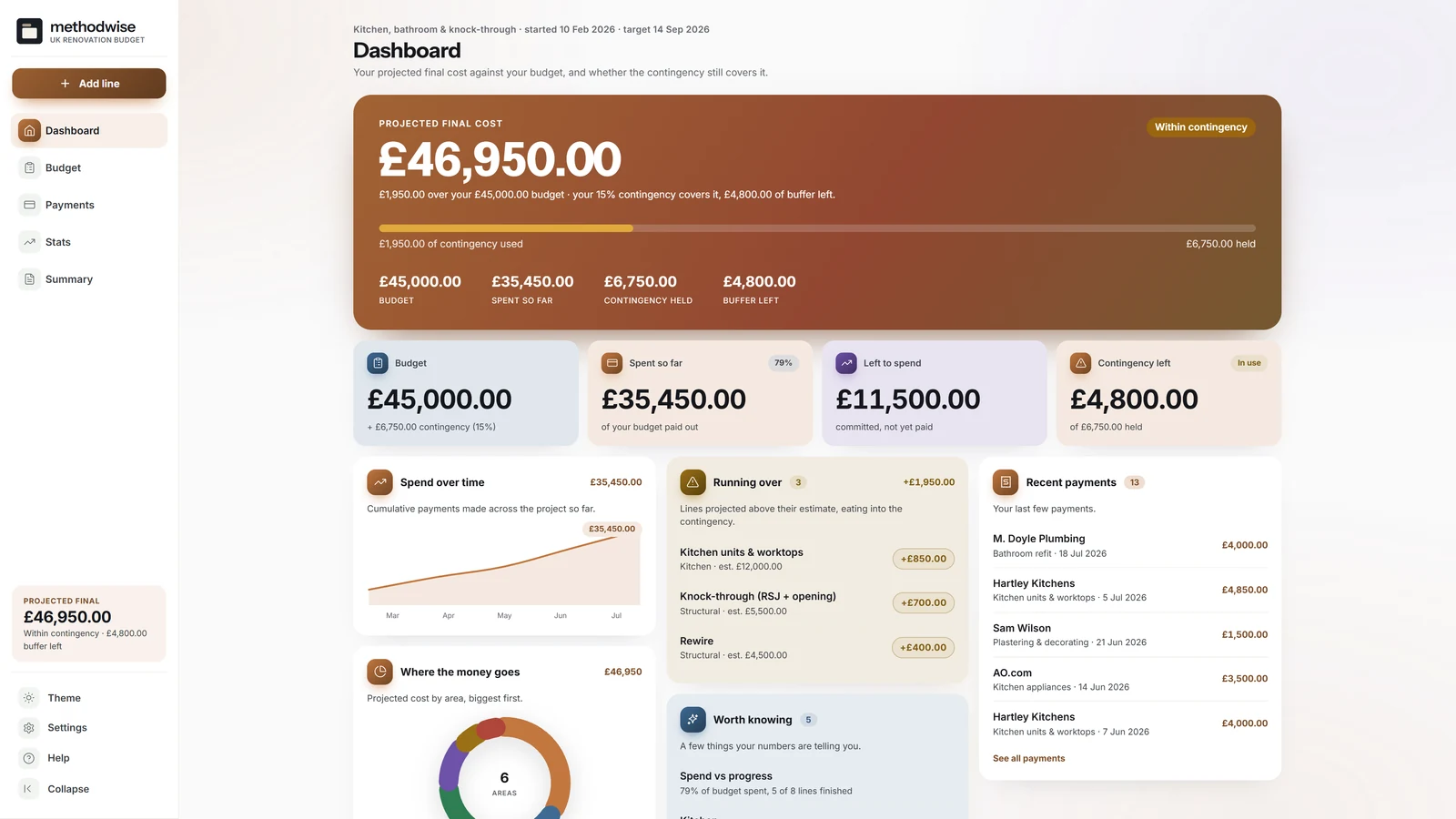
The actual light-mode dashboard, shown with the example kitchen, bathroom and knock-through project.
The projection behind the spend
The dashboard joins estimates, payments and remaining work into a projected final cost, then compares it with the budget and contingency ceiling.
An open line counts the greater of its estimate or amount already paid, while a completed line settles at its actual cost.
See whether the projection is within budget, within contingency or beyond the full contingency ceiling.
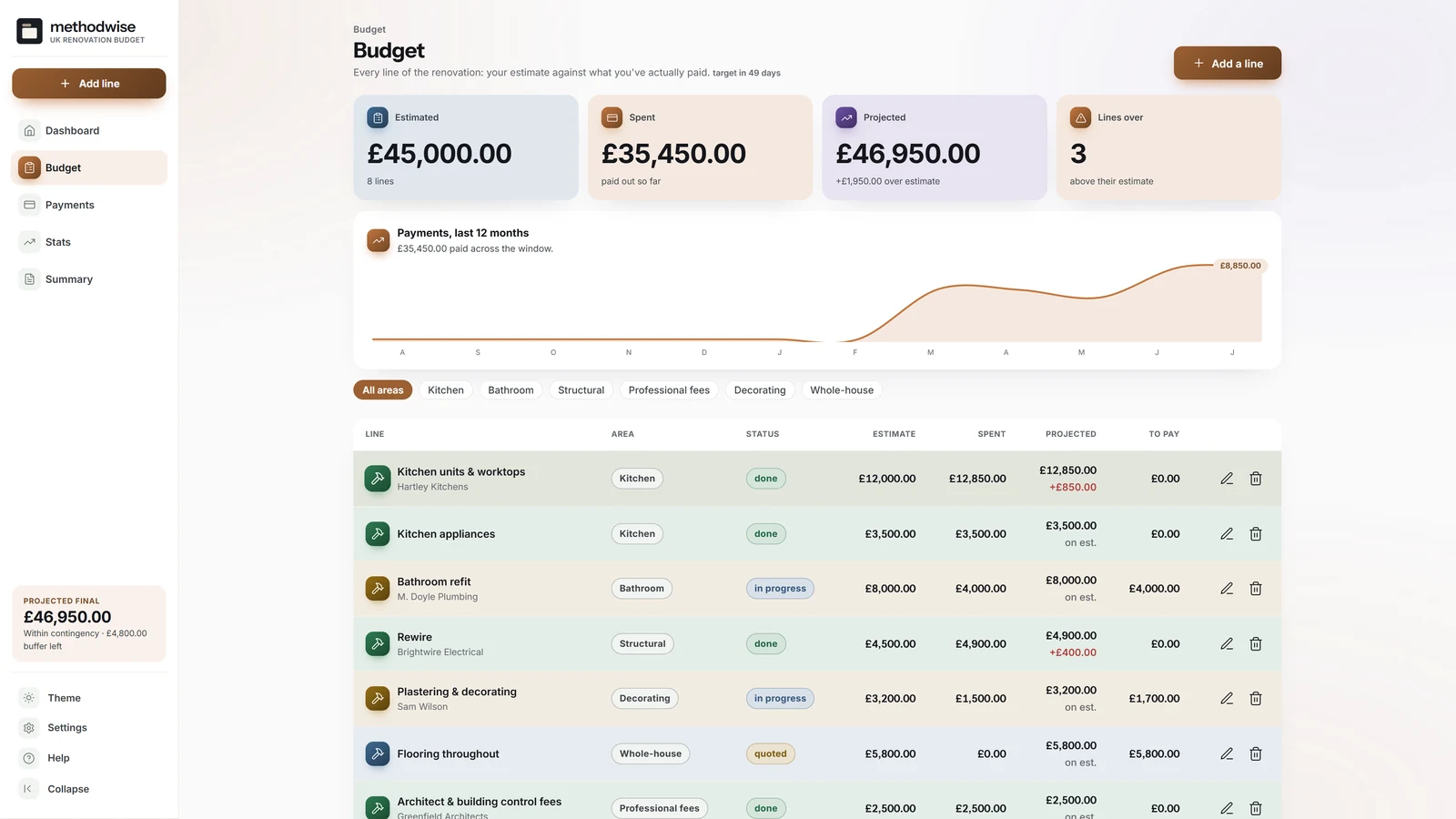
Track every area or job with its contractor, estimate, status, payments, projected total, variance and amount still to pay.
Log deposits, progress payments, materials, final payments and other costs against a line or as an unlinked project cost.
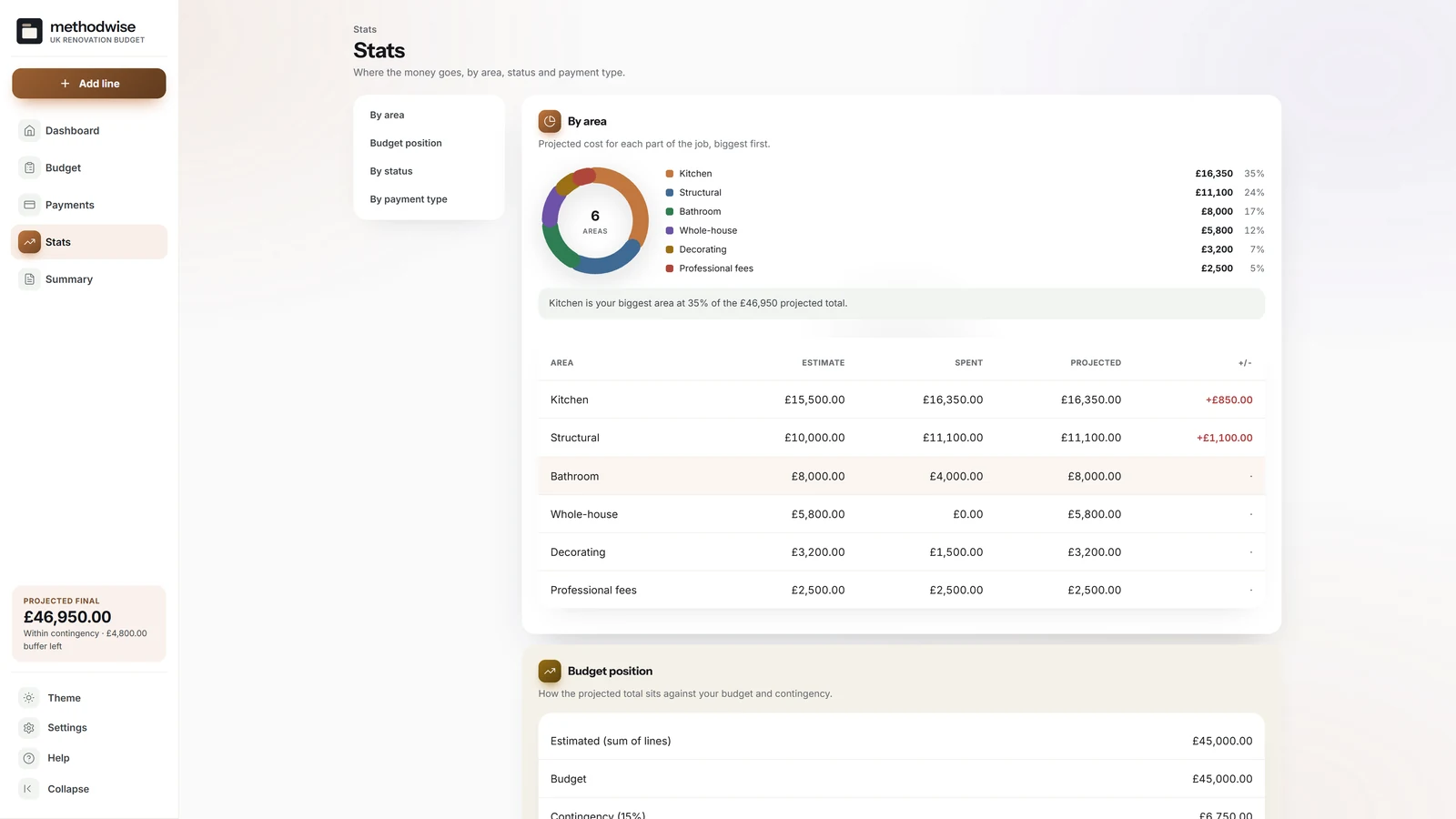
Review the renovation by area, work status and payment type, with spend over time and lines currently running over.
Bring the projected total, verdict, full line breakdown and contingency position into one printable statement.
Every line of the project
The Budget page keeps the plan and actuals side by side, so a large payment does not look like a completed job and an unfinished line does not disappear from the projection.
Contingency held separately
The app treats contingency as a buffer above the core budget rather than hiding it inside every estimate.
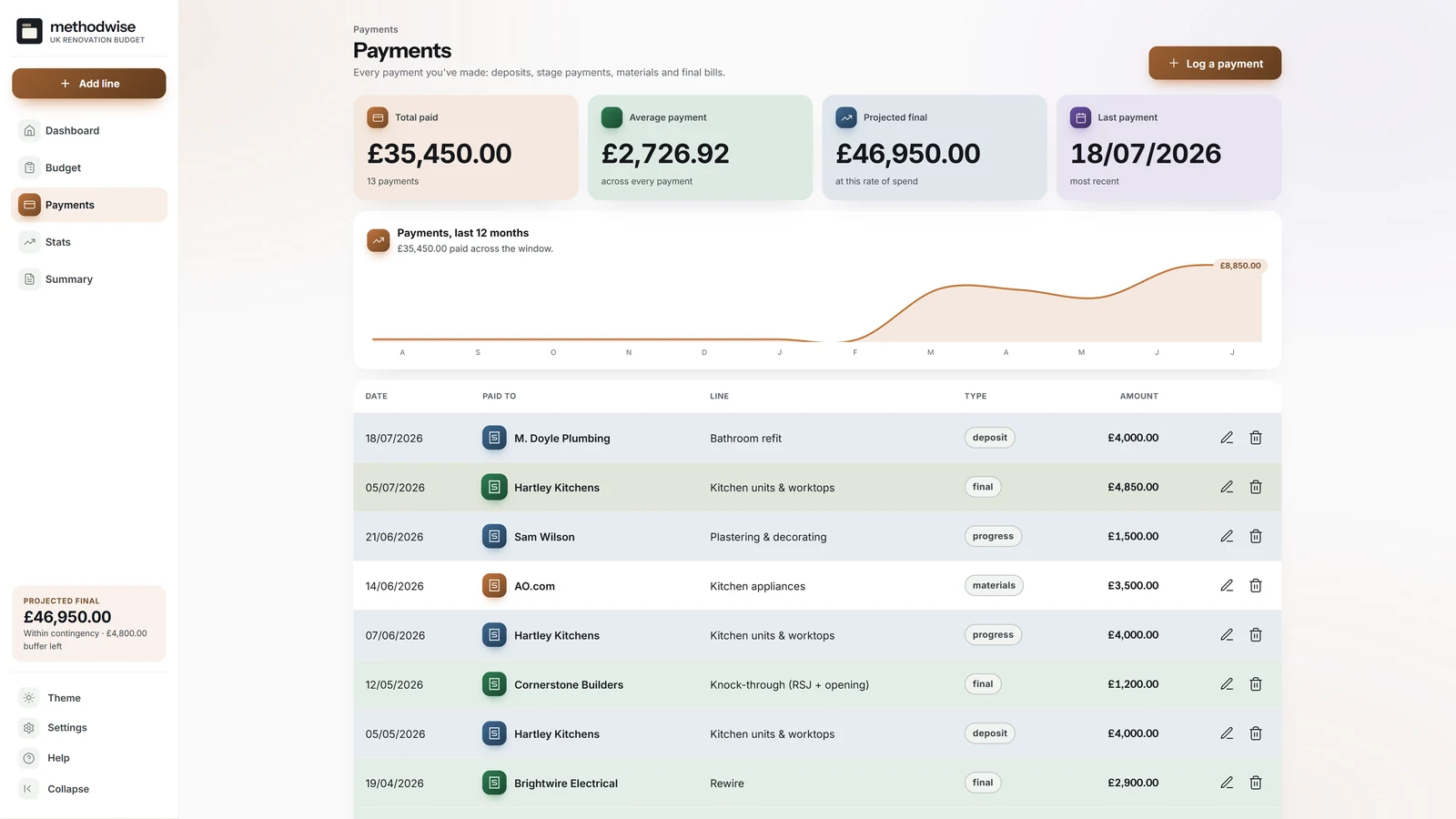
A ledger of what has really left the account
Payments remain separate records and still count towards total spend, whether linked to a particular budget line or left as a project-wide cost.
The whole project from three angles
The Stats page uses the same budget lines and payment records to explain where the money is going and how far the work has progressed.
Four figures that stay separate
Each figure answers a different question, which is why the tracker keeps them visible together instead of replacing the estimate with the latest payment.
How it works
No installation, app store or account is required.
Etsy delivers the digital download after purchase, with the tracker, quick-start guide, licence and support details.
Set the overall budget and contingency, then add each job or area with its estimate and status.
Record each actual payment, review the revised projection, print the summary and keep a separate backup.
Private by design
The tracker runs locally in your browser. It has no account, cloud database or analytics, and it does not upload budget lines, payments, contractors or project notes.
It does not sync automatically between computers and cannot store receipt or project photos. Export a backup from one device and import it on another when you want to move the records.
Frequently asked
It works on Windows, Mac and Linux computers in a modern version of Chrome, Edge, Safari or Firefox.
No. The tracker is deliberately offline. You enter each payment yourself, and the single-file app does not upload or store receipt images.
No. The current version tracks one renovation project at a time. Export a full backup before resetting the app if you want to archive one project and begin another.
Spent is the total of payments already logged. Projected is the current expected final cost: completed lines use what was actually paid, while open lines use the greater of the estimate or amount paid so far.
The contingency sits above the core budget. The app compares the projected total with both figures, shows how much buffer has been used and reports whether the project is within budget, within contingency or over the full ceiling.
No. Enter the total amounts you expect to pay. It is a homeowner budget tracker, not estimating software, a quantity takeoff or a contractor quote checker.
Yes. The summary creates a printable budget statement, and you can copy the projected total or the full breakdown as tab-separated values for a spreadsheet.
The single-file UK Home Renovation Budget Tracker app, a quick-start guide, and licence and support details. Etsy delivers the download after purchase.
Buy the UK Home Renovation Budget Tracker on Etsy, download it once and keep using it without an account or subscription.
Buy on Etsy