Build the checklist around your home
Answer a short set of questions about completion, tenure, age, mortgage, garden, pets and children to generate the relevant tasks.
UK new homeowner first-year tracker
Build a checklist around your completion date and the home you actually bought. Keep the setup jobs, first-year costs, renewals and reference details together from move-in day to month twelve.
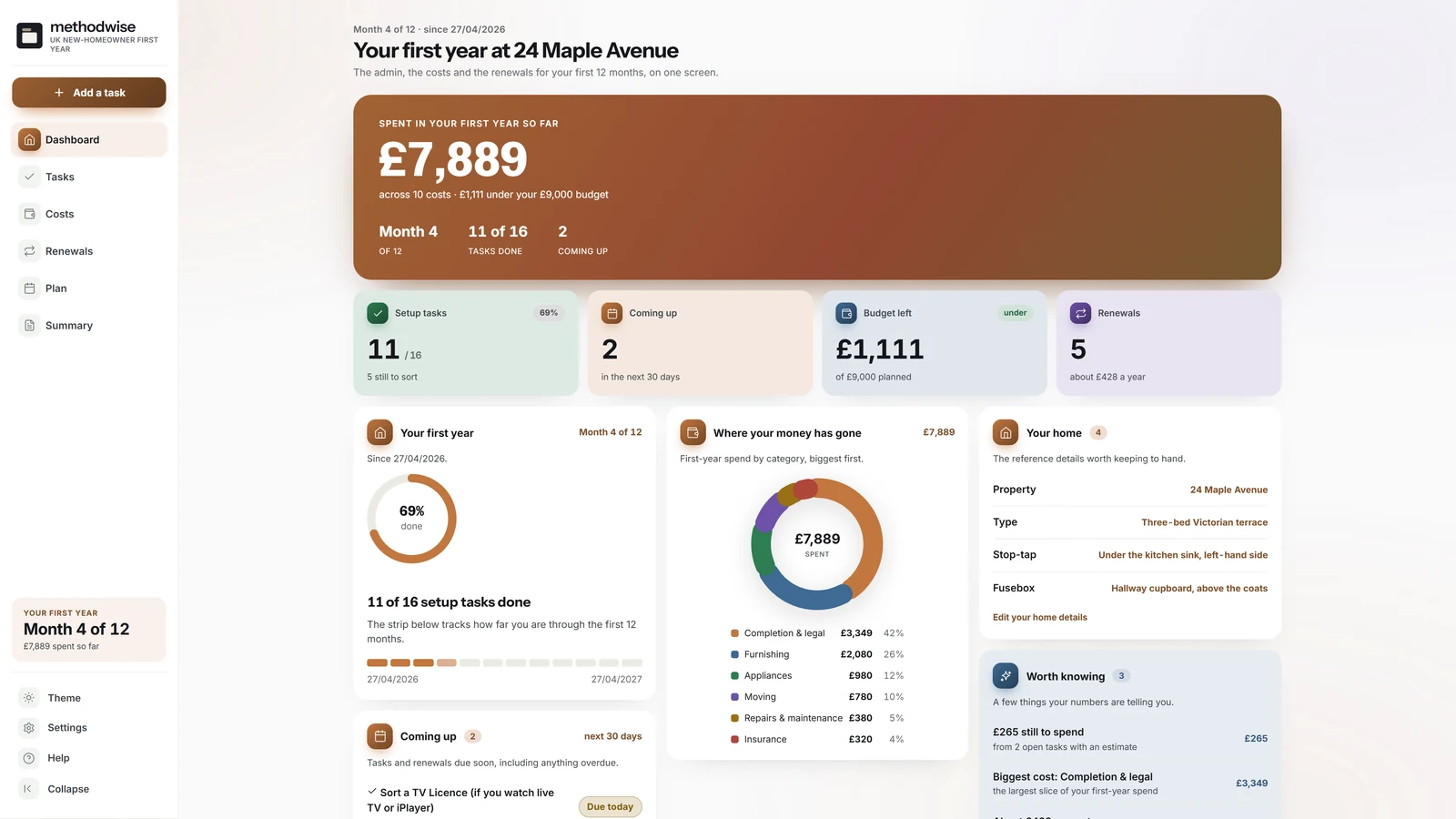
The actual light-mode dashboard, shown in month four of the example first year.
More than a moving-house checklist
The tracker connects what needs doing with when it is due, what it may cost and the home details you will need again later.
Answer a short set of questions about completion, tenure, age, mortgage, garden, pets and children to generate the relevant tasks.
Work through setup, utilities, insurance, address changes, safety, repairs and furnishing in date order or month by month.
Log moving, legal, repair, furnishing, appliance and utility costs, with a category breakdown and budget-left figure.
Track insurance, council tax, warranties, mortgage products, safety checks and tariffs, then add them to your calendar.
Keep meter locations, stop-tap, fusebox, key contacts, documents and appliance details where you can find them again.
Print the forward plan with tick boxes and key dates, plus a separate first-year summary for your records.
Built from your completion date
Start with the standard UK checklist or use the plan builder to add only the tasks relevant to the home, ownership and household.
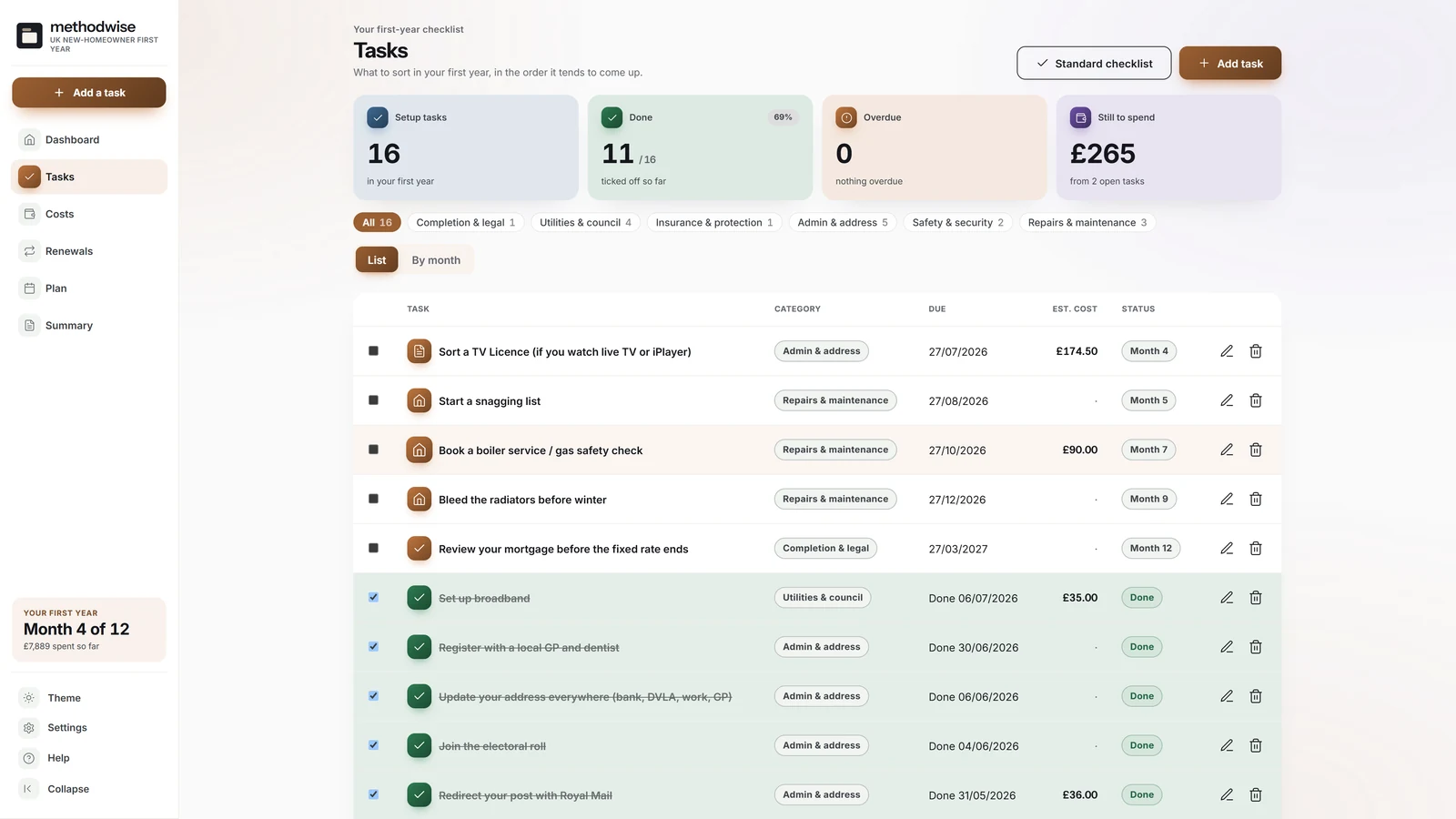
A checklist that changes with the home
The plan builder uses a short set of answers to decide which tasks and dates belong in the first year.
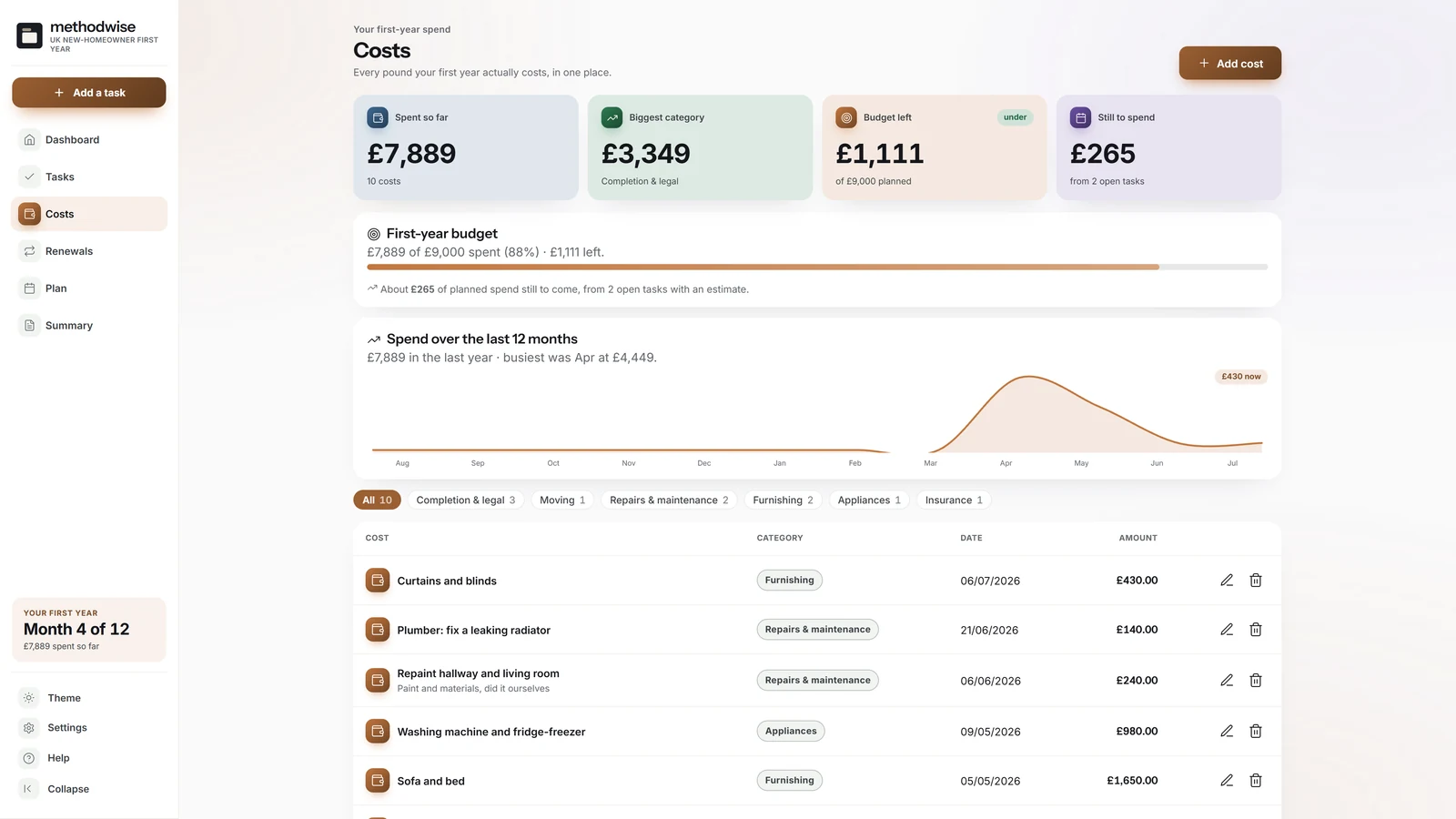
The real cost of getting set up
The Costs page shows what has been paid, where the money went and what is still expected from open tasks carrying an estimate.
From the browser to the fridge
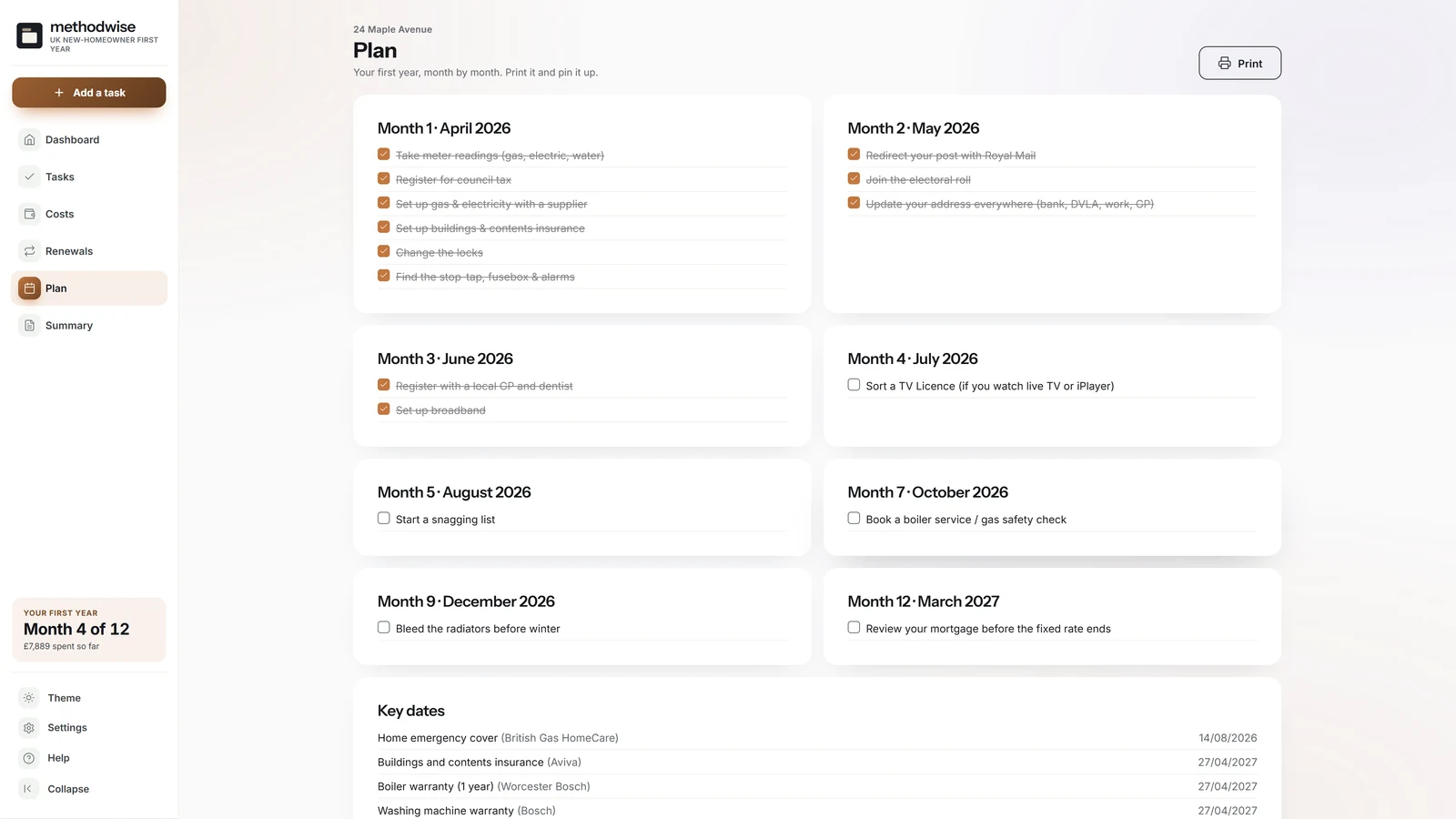
The wall plan carries the generated checklist into a forward view with tick boxes and a separate list of renewal dates.
The home reference
The reference area sits beside the first-year plan, so the details collected during move-in remain useful after the checklist is finished.
How it works
No installation, app store or account is required.
Etsy delivers the digital download after purchase, with the tracker, quick-start guide, licence and support details.
Enter the completion date and answer a few questions about the home, tenure, mortgage and household.
Tick off tasks, log costs, roll renewals forward, print the plan and keep a separate backup.
Private by design
The tracker runs locally in your browser. It has no account, cloud database or analytics, and it does not upload your address, costs, contacts, appliance details or document notes.
It does not sync automatically between computers or send push notifications. Export calendar files for dated reminders, and use a JSON backup when you want to move the records.
Frequently asked
It works on Windows, Mac and Linux computers in a modern version of Chrome, Edge, Safari or Firefox.
Yes. You can load the standard 21-task UK checklist or use the plan builder to generate a more tailored list from the details of your home and household.
Yes. Add, edit or remove tasks, costs and renewals. You can also rerun the standard checklist or plan builder without duplicating tasks already present.
No. An offline browser app cannot send push notifications. It can download calendar files for all upcoming tasks and renewals, or for one renewal at a time.
No. The current version is a first-year organiser for one home. It is not a landlord portfolio or multi-property management tool.
The wall plan groups tasks by month with tick boxes and key dates. The summary creates a separate first-year record of progress, remaining tasks, costs, renewals and home reference details.
The single-file UK New Homeowner First-Year Tracker app, a quick-start guide, and licence and support details. Etsy delivers the download after purchase.
Buy the UK New Homeowner First-Year Tracker on Etsy, download it once and keep using it without an account or subscription.
Buy on Etsy